
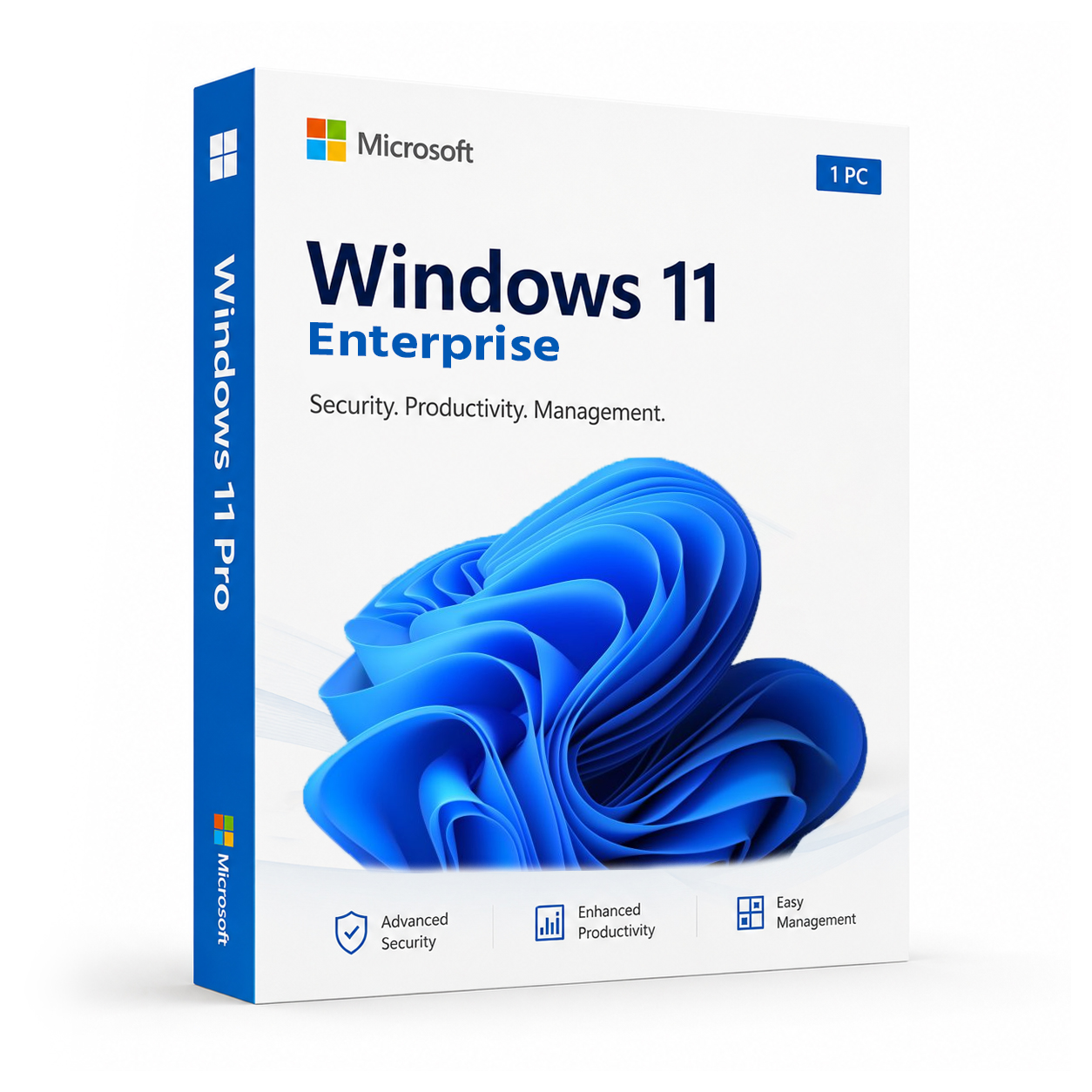
Microsoft Windows 11 Enterprise 32/64 Bit – Affordable Genuine Product Key
Original price was: $129.99.$19.99Current price is: $19.99.
 Instant Delivery to Your Email
Lifetime License – Yours Forever
One-Time Payment – No Hidden Fees
100% Genuine Microsoft Product Key
Money-Back Guarantee & 24/7 Support
Microsoft Windows 11 Enterprise – Genuine Product Key | 32/64 Bit
Enterprise-grade Windows. One key. Licensed for life.
Windows 11 Enterprise is the most capable edition Microsoft makes — built not for casual home use, but for organisations, IT professionals, and serious users who need the full stack of security, management, and deployment tools that Pro simply doesn’t cover. This is a genuine, verified product key delivering permanent activation on one machine, delivered to your inbox within minutes of purchase.
What Is Windows 11 Enterprise — And Why Does It Exist?
Enterprise isn’t just Pro with a different label. It’s a fundamentally more capable edition of Windows 11, designed for environments where security, centralised management, and large-scale deployment matter. Microsoft reserves several of its most powerful tools exclusively for Enterprise — features that Pro users simply don’t have access to, regardless of how they configure their system.
In 2026, with hybrid work firmly established and cybersecurity threats more sophisticated than ever, the gap between Pro and Enterprise has widened in practical terms. For IT administrators, security-conscious organisations, developers managing complex environments, and power users who want the highest level of control over their machine, Enterprise is the edition that covers the ground Pro leaves open.
What You Get With Windows 11 Enterprise
BitLocker & BitLocker To Go
Full-disk encryption on the machine itself, plus encryption extended to USB drives and external storage. Data stays protected whether it’s on the device or leaving it — hardware removal doesn’t bypass it.
Remote Desktop
Access your licensed machine from anywhere — another office, home, or on the road. Full remote access built directly into the OS, no third-party software required.
Hyper-V Virtualization
Run virtual machines natively without paying for separate virtualisation software. Developers, testers, and IT professionals get a full hypervisor platform built into the OS.
Windows Sandbox
Launch a clean, isolated, temporary desktop environment to safely run untrusted applications or unfamiliar files. Closes without a trace — nothing carries over to the host system.
Group Policy Management
Enforce consistent configurations, restrict user access, and control system behaviour across devices in ways unavailable on Home or even Pro editions.
Domain Join & Azure Active Directory
Connect your machine to an on-premises Active Directory domain or cloud-based Azure AD environment. Full support for both legacy and modern identity management out of the box.
AppLocker
Define precisely which applications are permitted to run on the machine — and block everything else. A powerful application whitelisting tool exclusive to Enterprise that gives IT administrators granular control over software execution.
Windows To Go (Legacy Support)
Run a full Windows 11 Enterprise environment from a USB drive on compatible hardware — useful for secure, portable workspace deployments.
DirectAccess
Establish secure, seamless connections to corporate networks without requiring a traditional VPN client. Transparent to the end user, managed centrally by IT — an Enterprise-exclusive capability.
Credential Guard
Isolate and protect authentication credentials using virtualisation-based security. Prevents credential theft attacks — including Pass-the-Hash and Pass-the-Ticket — that target standard Windows deployments.
Device Guard
Lock the device to run only trusted, signed software. Combined with AppLocker, Device Guard gives Enterprise environments a layered application control architecture unavailable in any other edition.
Smart App Control
AI-powered application filtering that analyses and blocks untrusted software before it can execute. Active automated protection requiring no manual configuration.
Windows Hello for Business
Organisation-wide biometric authentication via face recognition or fingerprint on supported hardware. Faster than passwords, significantly more secure, and centrally manageable at Enterprise scale.
Windows Update for Business
Full control over update scheduling across the machine. No surprise restarts, no forced feature rollouts before you’re ready — update timing on your terms.
Microsoft Managed Desktop Compatibility
Windows 11 Enterprise is the edition optimised for Microsoft Managed Desktop deployments — cloud-based device management at scale, with Microsoft handling patching, monitoring, and compliance.
Assigned Access & Kiosk Mode
Lock the machine down to a single application when the use case demands it — shared terminals, reception desks, point-of-sale systems, or any device that needs to stay in a fixed, predictable state.
DirectX 12 Ultimate
Maximum graphics performance for design, engineering visualisation, creative software, and high-demand applications — fully supported on Enterprise.
Android App Support
Run Android applications directly on the Windows desktop — a genuinely useful capability for teams working across mobile and desktop workflows simultaneously.
TPM 2.0 & Secure Boot
Hardware-level security built into the foundation of every Windows 11 installation — protection that activates before the OS loads, blocking firmware threats and unauthorised boot attempts.
Snap Layouts & Snap Groups
Advanced multitasking built into the OS. Organise windows into custom layouts, save grouped app arrangements, and switch between tasks without losing your workspace configuration.
Everything Included With Your Purchase
✔ One genuine Windows 11 Enterprise product key
✔ Delivered to your inbox immediately after payment is confirmed
✔ Step-by-step activation instructions included
✔ Direct link to Microsoft’s official Windows 11 download page
✔ Lifetime activation — pay once, permanently activated
✔ Compatible with both 32-bit and 64-bit systems
Minimum System Requirements
| Component | Requirement |
|---|---|
| Processor | 1 GHz+, 2 cores minimum, 64-bit |
| RAM | 4 GB |
| Storage | 64 GB free |
| Firmware | UEFI with Secure Boot enabled |
| TPM | Version 2.0 |
| Display | 720p or higher, 9″ or larger |
| Internet | Required for activation and initial setup |
Verify compatibility before purchasing using Microsoft’s free PC Health Check tool.
Check System Requirements
How Activation Works — Step by Step
- Complete your purchase — your product key arrives by email within minutes
- Download Windows 11 Enterprise from Microsoft’s official site: Download Here
- Install — fresh install or in-place upgrade from Windows 10, both fully supported
- Open Settings → System → Activation
- Click “Change product key” and enter your key
- Hit Activate — permanently done
Need help at any step? Support is available around the clock: Contact Support
Windows 11 Edition Comparison — Home vs Pro vs Enterprise
| Feature | Home | Pro | Enterprise |
|---|---|---|---|
| BitLocker Encryption | ✗ | ✔ | ✔ |
| Remote Desktop | ✗ | ✔ | ✔ |
| Hyper-V Virtualization | ✗ | ✔ | ✔ |
| Windows Sandbox | ✗ | ✔ | ✔ |
| Group Policy Management | ✗ | ✔ | ✔ |
| Domain & Azure AD Join | ✗ | ✔ | ✔ |
| Windows Update for Business | ✗ | ✔ | ✔ |
| AppLocker | ✗ | ✗ | ✔ |
| Credential Guard | ✗ | ✗ | ✔ |
| Device Guard | ✗ | ✗ | ✔ |
| DirectAccess | ✗ | ✗ | ✔ |
| Windows To Go | ✗ | ✗ | ✔ |
| Microsoft Managed Desktop | ✗ | ✗ | ✔ |
| Smart App Control | ✔ | ✔ | ✔ |
| Windows Hello | ✔ | ✔ | ✔ |
| Android App Support | ✔ | ✔ | ✔ |
| DirectX 12 Ultimate | ✔ | ✔ | ✔ |
| Snap Layouts | ✔ | ✔ | ✔ |
Enterprise covers everything Pro does — and then adds the advanced security and management tools that serious deployments actually need. AppLocker, Credential Guard, Device Guard, and DirectAccess are not available in any other edition. For anyone who needs that level of control and protection, Enterprise is the only option.
Who Is Windows 11 Enterprise For?
- IT administrators managing devices in business or organisational environments
- Security professionals who need Credential Guard, Device Guard, and AppLocker
- Developers running complex lab environments requiring full virtualisation and sandbox capabilities
- Organisations deploying Microsoft Managed Desktop or Azure AD at scale
- Power users who want the highest level of control, security, and capability Windows offers
- Remote workers who need seamless DirectAccess connectivity to corporate networks
- Anyone upgrading from an older Enterprise license to Windows 11 permanently
Why Customers Choose QuickProductKey
We’re not the cheapest option on the internet — and we don’t try to be. What we offer is reliability. Every key is verified before it goes out. If activation fails for any reason, you get a full refund — no questions, no delays.
✔ All keys are genuine — not cracked, not reused
✔ Email delivery in minutes, not hours
✔ One-time payment, lifetime activation
✔ Money-back guarantee if the key doesn’t work
✔ 24/7 support from people who actually know the product
✔ Secure checkout via PayPal, Visa, and Stripe
Full refund policy: Refund & Returns Policy
This is a digital product. Nothing will be posted to you. Your product key is delivered by email the moment your payment is confirmed.
Be the first to review “Microsoft Windows 11 Enterprise 32/64 Bit – Affordable Genuine Product Key”
You must be logged in to post a review.
Related products
Reviews
There are no reviews yet.