


 Instant Delivery to Your Email
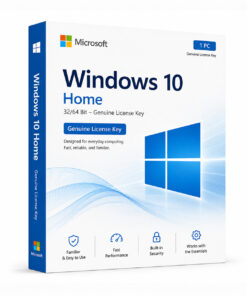
Microsoft Windows 10 S – Genuine License Key
If you’re looking for a secure, fast, and streamlined version of Windows 10 that prioritises performance and protection over everything else, Windows 10 S is worth a serious look. Whether you’re setting up a machine for a student, managing shared devices in a school environment, or simply want a locked-down PC that stays fast and reliable without constant maintenance — Windows 10 S was built with exactly those needs in mind. At QuickProductKey, every key we sell is sourced legitimately — no grey-market shortcuts, no recycled activations, no risk. Just a clean, verified license delivered straight to your inbox, ready to activate the moment you receive it.
So, What Exactly Is Windows 10 S?
Windows 10 S is Microsoft’s streamlined, security-focused edition of Windows 10, originally designed for educational environments and users who want a simpler, faster, and more controlled computing experience. The defining characteristic of Windows 10 S is straightforward — it only runs applications downloaded from the Microsoft Store.
That single design decision has a cascading effect on everything else. Because every app goes through Microsoft’s Store verification process, the system is dramatically harder to compromise with malware, ransomware, or unauthorised software. Boot times are faster. Performance stays consistent over time. And the overall experience is noticeably cleaner than a standard Windows installation that accumulates software, browser extensions, and background processes over the months and years of use.
For schools, this means IT departments can deploy and manage devices with confidence that students won’t inadvertently install harmful software or circumvent controls. For individual users, it means a PC that stays as fast on day three hundred as it was on day one.
It’s worth noting that Windows 10 S can be switched to Windows 10 Home or Pro at any time through Microsoft’s official upgrade path, giving you a straightforward route to full Windows functionality if your needs change down the line.
What You Actually Get With Windows 10 S
Microsoft Store App Exclusivity – Only applications verified and distributed through the Microsoft Store can be installed. This isn’t a limitation so much as a security architecture — it eliminates the single most common vector for malware, unwanted software, and system bloat that plagues standard Windows installations over time.
Faster Boot Times – Because the system runs a controlled set of verified applications with no unauthorised background processes, Windows 10 S consistently boots faster than standard Windows editions. On compatible hardware, startup times are noticeably quicker day after day, not just during the first week after a fresh install.
Sustained Performance – Standard Windows installations tend to slow down over time as software accumulates, startup programs multiply, and background processes pile up. Windows 10 S avoids this entirely. The performance you experience when you first set it up is the performance you’ll still have months later.
Microsoft Edge Browser – Edge is set as the default browser, with Bing as the default search engine. Both are deeply integrated into the Windows 10 S experience and optimised for performance on the platform. Users who prefer alternative browsers can switch to other Store-available options.
Windows Hello – Sign in with face recognition or fingerprint authentication on supported hardware. Faster, more convenient, and significantly more secure than a typed password — particularly useful on shared devices where multiple users log in and out throughout the day.
OneDrive Integration – Seamless cloud storage built directly into the OS. Files sync automatically across devices, making it easy to pick up work on any machine without manually transferring files. For students moving between school and home devices, this is genuinely useful.
Microsoft 365 Compatibility – The full Microsoft 365 suite — Word, Excel, PowerPoint, OneNote, Teams — runs natively on Windows 10 S through the Microsoft Store. For students and educators, having the complete Office suite available without any compatibility concerns is a significant practical advantage.
Snap Layouts & Virtual Desktops – Built-in multitasking tools that help users manage multiple apps and workflows without third-party software. Particularly useful for students juggling research, writing, and communication tools simultaneously.
Consistent, Low-Maintenance Experience – Because the application environment is controlled, IT administrators managing multiple Windows 10 S devices spend significantly less time troubleshooting software conflicts, cleaning up unwanted installations, or dealing with the kind of configuration drift that affects standard Windows machines over time.
Windows Update – Security and system updates are handled automatically, keeping every device protected without requiring manual intervention. For managed environments, this means every machine stays current without administrative overhead.
Secure Boot & TPM Support – Hardware-level security features that protect the system at the firmware level, before Windows even loads. Windows 10 S pairs particularly well with modern hardware that supports these features, creating a secure environment from the ground up.
Switch to Windows 10 Home or Pro – If your needs evolve and you require software outside the Microsoft Store, Microsoft provides an official, straightforward upgrade path to Windows 10 Home or Pro. The switch is permanent and can be done directly through the Settings menu.
Everything Included With Your Purchase
✔ One genuine Windows 10 S license key
✔ Delivered to your email address immediately after payment is confirmed
✔ Clear, step-by-step activation instructions included
✔ Direct link to Microsoft’s official Windows 10 download page
✔ Lifetime activation — pay once, use permanently
✔ Works on supported 32-bit and 64-bit systems
Minimum System Requirements
| Component | What You Need |
|---|---|
| Processor | 1 GHz or faster, 32-bit or 64-bit |
| RAM | 1 GB (32-bit) / 2 GB (64-bit) |
| Storage | 32 GB free space |
| Graphics | DirectX 9 or later with WDDM 1.0 driver |
| Display | 800 x 600 or higher |
| Internet | Required for activation and Microsoft Store access |
Before purchasing, verify your hardware meets these requirements. Microsoft’s PC Health Check tool can confirm compatibility quickly.
How Activation Works — Step by Step
- Place your order — your key arrives by email within minutes
- Head to Microsoft’s official site to download the Windows 10 S ISO: https://quickproductkey.com/software-downloads/
- Run the installer — both fresh installs and in-place upgrades are supported
- Open Settings → Update & Security → Activation
- Click “Change product key” and enter your key
- Hit Activate — you’re done
Want to switch to Windows 10 Home or Pro later? Head to Settings → Update & Security → Activation and follow Microsoft’s official upgrade path — it takes just a few minutes.
Stuck at any point? Our support team is available around the clock: https://quickproductkey.com/contact/
Windows 10 S vs Home vs Pro — How They Compare
| Feature | S | Home | Pro |
|---|---|---|---|
| Microsoft Store Apps | ✔ | ✔ | ✔ |
| Third-Party App Install | ✗ | ✔ | ✔ |
| BitLocker Encryption | ✗ | ✗ | ✔ |
| Remote Desktop | ✗ | ✗ | ✔ |
| Hyper-V | ✗ | ✗ | ✔ |
| Group Policy | ✗ | ✗ | ✔ |
| Faster Boot Performance | ✔ | ✗ | ✗ |
| Sustained Long-Term Speed | ✔ | ✗ | ✗ |
| Windows Hello | ✔ | ✔ | ✔ |
| OneDrive Integration | ✔ | ✔ | ✔ |
| Switch to Home or Pro | ✔ | — | — |
Windows 10 S trades the flexibility of unrestricted app installation for speed, security, and long-term performance consistency. If your workflow fits comfortably within the Microsoft Store ecosystem, you get a noticeably faster and more secure experience than either Home or Pro. If you regularly rely on software outside the Store, Home or Pro is the better fit — and switching from S to either of those is always an option.
Who Should Choose Windows 10 S?
Students – A fast, clean, distraction-reduced environment that handles Microsoft 365, OneDrive, and the core tools needed for academic work. No bloatware, no accumulated slowdown, no risk of accidentally installing something harmful. For students who live in the Microsoft ecosystem, Windows 10 S is a genuinely excellent fit.
Schools & Educational Institutions – IT departments managing classrooms and shared devices will appreciate the dramatically reduced maintenance burden. Controlled application environments mean fewer support tickets, fewer compromised machines, and more predictable device behaviour across the board.
Parents Setting Up Children’s Devices – A PC that only runs verified Microsoft Store apps is a significantly safer environment for younger users. No accidental downloads, no harmful software slipping through, and no configuration drift that turns a fast new machine into a sluggish one within six months.
Budget-Conscious Users on Supported Hardware – If your daily computing needs are covered by Microsoft 365, Edge, and apps available in the Microsoft Store, Windows 10 S delivers a premium-feeling experience without requiring premium hardware to maintain that performance over time.
Low-Maintenance Device Owners – Not everyone wants to manage a PC. If you want a machine that stays fast, stays secure, and doesn’t require regular cleanup and maintenance to keep running well — Windows 10 S handles all of that by design.
Kiosk & Shared Terminal Operators – The controlled, consistent environment makes Windows 10 S a practical choice for shared terminals, reception desks, or any machine that needs to stay in a known, predictable state without IT intervention after every use.
Why Customers Choose QuickProductKey
We’re not the cheapest option on the internet — and we don’t try to be. What we offer is reliability. Every key we sell is verified before it goes out. If for any reason activation fails, you get a full refund. No arguing, no runaround.
✔ Keys are genuine — not cracked, not reused
✔ Email delivery in minutes, not hours
✔ One-time payment, lifetime activation
✔ Money-back guarantee if it doesn’t work
✔ 24/7 support from people who actually know the product
✔ Secure checkout via PayPal, Visa, and Stripe
Full refund policy here: https://quickproductkey.com/refund-and-returns-policy/
This is a digital product. Nothing will be posted to you. Your license key is delivered by email as soon as your payment is confirmed.
Be the first to review “Microsoft Windows 10 S – Genuine License Key”
You must be logged in to post a review.
Related products
Reviews
There are no reviews yet.