
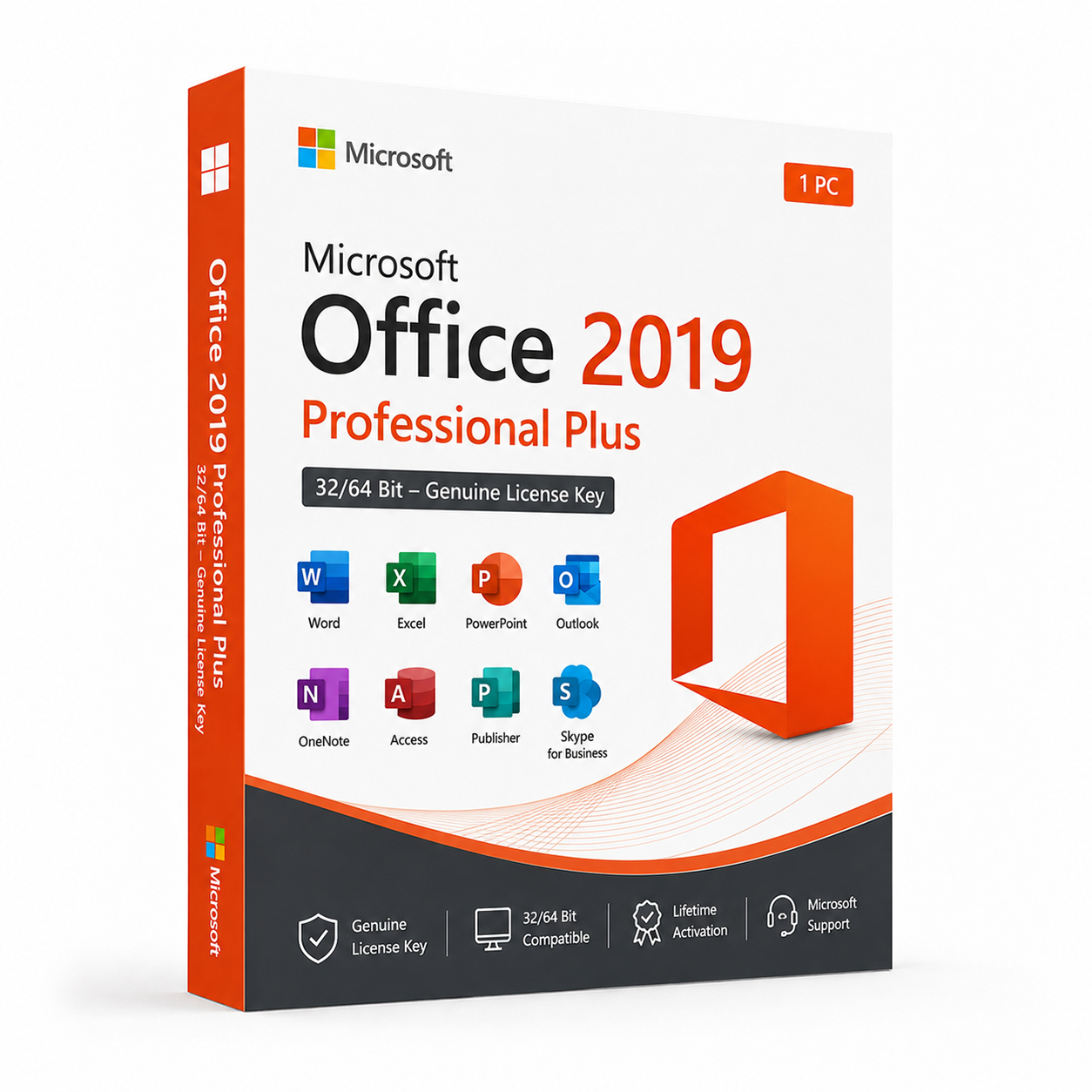
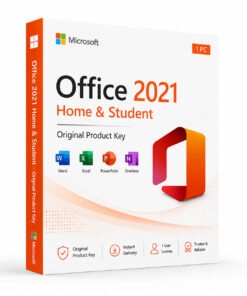
Microsoft Office 2019 Professional Plus 32/64 Bit – Genuine License Key
Original price was: $129.99.$29.99Current price is: $29.99.
 Instant Delivery to Your Email
Lifetime License – Yours Forever
One-Time Payment – No Hidden Fees
100% Genuine Microsoft Product Key
Money-Back Guarantee & 24/7 Support
Microsoft Office 2019 Professional Plus 32/64 Bit – Genuine License Key
If you’re running a stable, well-configured Windows environment and have no interest in paying a recurring subscription fee for software you’ll use every single day, Microsoft Office 2019 Professional Plus remains one of the most capable and cost-effective productivity suites available as a one-time purchase. It’s a proven, mature release with years of security updates and real-world deployment behind it — and at QuickProductKey, every key we sell is sourced legitimately. No grey-market shortcuts, no recycled activations, no risk of your license being flagged months after purchase. Just a clean, verified Office 2019 Pro Plus license delivered straight to your inbox, ready to install the moment you need it.
So, What Exactly Is Office 2019 Professional Plus?
Microsoft Office 2019 Professional Plus is the top-tier perpetual license edition of the Office 2019 suite — meaning you pay once and own it permanently, with no subscription renewals, no monthly billing, and no risk of losing access because a payment failed. It was designed for professionals, businesses, and organisations that want the complete Office application stack without the ongoing cost and dependency of a Microsoft 365 subscription.
Pro Plus sits above every other Office 2019 edition in terms of application coverage. Where Home & Student gives you the basics and Home & Business adds Outlook, Professional Plus delivers the full suite — including Access and Publisher — along with commercial use rights that make it suitable for business deployment without additional licensing concerns.
Office 2019 brought a significant number of features that were previously exclusive to Microsoft 365 subscribers into the perpetual license world. Improved inking tools, new Excel functions, better PowerPoint transitions and morph animations, a focused inbox in Outlook, and meaningful performance improvements across the board — all of it locked in permanently from the moment of activation. Years on from its release, Office 2019 Professional Plus is a thoroughly mature, battle-tested productivity suite that handles the full range of professional workflows without missing a step.
What You Actually Get With Office 2019 Professional Plus
Microsoft Word 2019 – Comprehensive word processing with improved focus mode for distraction-free writing, better accessibility checker integration, enhanced learning tools for readability support, and smoother handling of large, complex documents. Whether you’re drafting a simple email template or producing a detailed technical report with embedded tables, figures, and references, Word 2019 handles it reliably and consistently.
Microsoft Excel 2019 – A substantial upgrade over Excel 2016 in terms of analytical capability. New functions including IFS, MAXIFS, MINIFS, CONCAT, TEXTJOIN, and SWITCH were brought into the perpetual license edition for the first time with Office 2019. Improved dynamic array behaviour, better chart types including funnel charts and 2D maps, and enhanced Power Pivot integration make Excel 2019 a meaningfully more capable analytical tool than its predecessor.
Microsoft PowerPoint 2019 – The Morph transition, which allows smooth, cinematic animation between slides by automatically animating matching elements, was one of the most talked-about PowerPoint features when it arrived in Microsoft 365 — and Office 2019 brings it to the perpetual license edition. Zoom feature for interactive, non-linear presentations, improved 4K export for video output, and better SVG and 3D model support round out a genuinely improved presentation creation experience.
Microsoft Outlook 2019 – A Focused Inbox that intelligently separates important emails from lower-priority messages, improved contact management, better calendar sharing tools, enhanced search functionality, and @mention support for flagging specific people in email threads. For anyone managing a busy inbox alongside a complex schedule, Outlook 2019 is a meaningful improvement over older versions.
Microsoft OneNote 2019 – Full-featured digital notebook with improved ink-to-text conversion, better search across notebooks, enhanced organisation tools, and smoother integration with the rest of the Office suite. OneNote 2019 works particularly well for research-heavy workflows where notes, web clips, images, and documents need to coexist in an organised, searchable structure.
Microsoft Access 2019 – The complete desktop database application, available exclusively in the Professional Plus tier. Build, query, and manage structured databases for business data that spreadsheets can’t comfortably handle at scale. New charts, better integration with linked data sources, and improved data connectivity options make Access 2019 a solid upgrade over the 2016 version for database-driven workflows.
Microsoft Publisher 2019 – Desktop publishing with precise layout control for professional print and digital materials. Brochures, newsletters, catalogues, marketing collateral, and publications that require layout precision beyond what Word’s formatting tools are designed to provide. Publisher 2019 is exclusive to the Pro Plus tier and remains the go-to tool for in-house print production in small and medium businesses.
Improved Inking & Pen Support – Across Word, Excel, and PowerPoint, Office 2019 significantly improved the inking experience for touchscreen and pen-input devices. New ink effects, better pressure sensitivity support, an improved ink toolbar, and the ability to convert ink drawings to standard shapes make the suite considerably more capable on Surface devices and other pen-enabled hardware.
Better Accessibility Tools – An improved Accessibility Checker built into Word, Excel, and PowerPoint flags potential issues and provides actionable suggestions for making documents more accessible. Enhanced screen reader compatibility and improved alt-text tools across the suite reflect a meaningful investment in accessibility that older Office versions didn’t fully address.
SVG & 3D Model Support – Insert and edit scalable vector graphics directly in Office documents without quality loss at any size. Full 3D model support across Word, Excel, and PowerPoint lets you insert and rotate three-dimensional objects directly in your documents and presentations — a capability that didn’t exist in Office 2016.
Performance Improvements – Faster application launch times, smoother scrolling through large documents, quicker formula calculation in Excel, and improved rendering on high-DPI and 4K displays. Office 2019 was built with modern hardware in mind and performs noticeably better than older versions on current processors and storage.
Lifetime Activation – Pay once, use permanently. Office 2019 Professional Plus is yours indefinitely from the moment you activate it — no subscription renewal, no expiry date, no ongoing cost to maintain access.
Everything Included With Your Purchase
✔ One genuine Microsoft Office 2019 Professional Plus license key
✔ Works on both 32-bit and 64-bit systems
✔ Delivered to your email address immediately after payment is confirmed
✔ Clear, step-by-step installation and activation instructions included
✔ Direct link to Microsoft’s official Office 2019 download page
✔ Lifetime activation — pay once, use permanently
✔ Compatible with Windows 10 and Windows 11
Minimum System Requirements
| Component | What You Need |
|---|---|
| Operating System | Windows 10, Windows 11, or Windows Server 2019 |
| Processor | 1.6 GHz or faster, 2-core minimum |
| RAM | 4 GB (64-bit) / 2 GB (32-bit) |
| Storage | 4 GB available space |
| Display | 1280 x 768 or higher |
| Graphics | DirectX 9 or later with WDDM 2.0 |
| Internet | Required for activation |
Office 2019 Professional Plus is a Windows-only release and is not supported on Windows 7 or Windows 8. Before purchasing, verify your machine is running Windows 10 or Windows 11 and meets the processor and RAM requirements above.
How Activation Works — Step by Step
- Place your order — your key arrives by email within minutes
- Head to Microsoft’s official Office portal to download the installer: https://quickproductkey.com/software-downloads/
- Run the installer and complete the setup process
- When prompted, sign into or create a Microsoft account
- Enter your product key when asked during activation
- Hit Activate — the full Office 2019 Pro Plus suite is ready to use
Stuck at any point? Our support team is available around the clock: https://quickproductkey.com/contact/
Office 2019 Editions — Which One Is Right for You?
| Application | Home & Student | Home & Business | Professional Plus |
|---|---|---|---|
| Word | ✔ | ✔ | ✔ |
| Excel | ✔ | ✔ | ✔ |
| PowerPoint | ✔ | ✔ | ✔ |
| OneNote | ✔ | ✔ | ✔ |
| Outlook | ✗ | ✔ | ✔ |
| Access | ✗ | ✗ | ✔ |
| Publisher | ✗ | ✗ | ✔ |
| Commercial Use Rights | ✗ | ✔ | ✔ |
Professional Plus is the only Office 2019 edition that includes the complete application stack. If your workflow requires Access for database management, Publisher for desktop publishing, or commercial use rights for business deployment — Pro Plus is the only perpetual license edition that covers all of it in a single purchase.
Office 2019 Pro Plus vs Microsoft 365 — The Honest Comparison
This is the question that comes up most often, and it deserves a straightforward answer rather than marketing language.
Microsoft 365 gives you always-current application versions, cloud storage, and access to Copilot and other AI features — but it requires a recurring subscription payment every month or year, indefinitely. Stop paying, and the full applications stop working.
Office 2019 Professional Plus gives you a permanent, fully-owned license with no ongoing fees and no risk of losing access. The applications receive security updates through Microsoft’s support lifecycle but don’t get new feature updates after release. For users whose workflows are well-served by the existing feature set — which covers the overwhelming majority of professional productivity needs — the one-time purchase model is simply more economical over any period beyond two years.
The practical day-to-day difference between Office 2019 Pro Plus and Microsoft 365 for most users is smaller than Microsoft’s marketing suggests. Word, Excel, PowerPoint, Outlook, Access, and Publisher in Office 2019 handle virtually every professional task the equivalent Microsoft 365 versions handle. The gap shows up at the bleeding edge of new feature additions — which matter far less to most users than the monthly subscription cost they’re no longer paying.
Who Should Choose Office 2019 Professional Plus?
Business Owners & Small Teams – Commercial use rights are included, making Pro Plus a clean, compliant choice for business deployment. Access and Publisher cover workflows that smaller Office editions don’t address, and the one-time cost makes budgeting straightforward.
Finance & Data Professionals – Excel 2019’s new functions, improved charting options, and better large-dataset performance make this a meaningful upgrade for anyone whose work is built around spreadsheets, financial modelling, or data analysis.
Database-Driven Workflows – Access 2019 is the only desktop database application included in any Office perpetual license edition below Pro Plus. If structured database management is part of your workflow, this is the edition you need.
Marketing & Design Teams – Publisher 2019 gives in-house teams the layout control needed for professional print and digital materials without paying for a dedicated desktop publishing application. For businesses producing their own marketing collateral, Publisher alone justifies the Pro Plus price point.
Subscription-Averse Users – If you’ve made a deliberate decision to own your software rather than rent it, Office 2019 Professional Plus is the most complete perpetual license in the 2019 range. Pay once, own it permanently, use it without interruption or ongoing cost.
Stable IT Environments – Organisations that prioritise predictability and minimal change in their software environment — healthcare, legal, manufacturing, government — benefit from a fixed, well-tested Office version that doesn’t push unexpected feature changes. Office 2019 Pro Plus stays exactly as deployed until you choose to upgrade.
Long-Term Cost-Conscious Buyers – Over a four to five year period, a one-time Office 2019 Pro Plus license costs a fraction of an equivalent Microsoft 365 subscription. For buyers who don’t need the latest features every release cycle, the financial case for perpetual licensing is straightforward.
Why Customers Choose QuickProductKey
We’re not the cheapest option on the internet — and we don’t try to be. What we offer is reliability. Every key we sell is verified before it goes out. If for any reason activation fails, you get a full refund. No arguing, no runaround.
✔ Keys are genuine — not cracked, not reused
✔ Email delivery in minutes, not hours
✔ One-time payment, lifetime activation
✔ Money-back guarantee if it doesn’t work
✔ 24/7 support from people who actually know the product
✔ Secure checkout via PayPal, Visa, and Stripe
Full refund policy here: https://quickproductkey.com/refund-and-returns-policy/
This is a digital product. Nothing will be posted to you. Your license key is delivered by email as soon as your payment is confirmed.
Be the first to review “Microsoft Office 2019 Professional Plus 32/64 Bit – Genuine License Key”
You must be logged in to post a review.
Related products





Reviews
There are no reviews yet.