
 Microsoft Office 2021 Professional Plus for Windows – Genuine License Key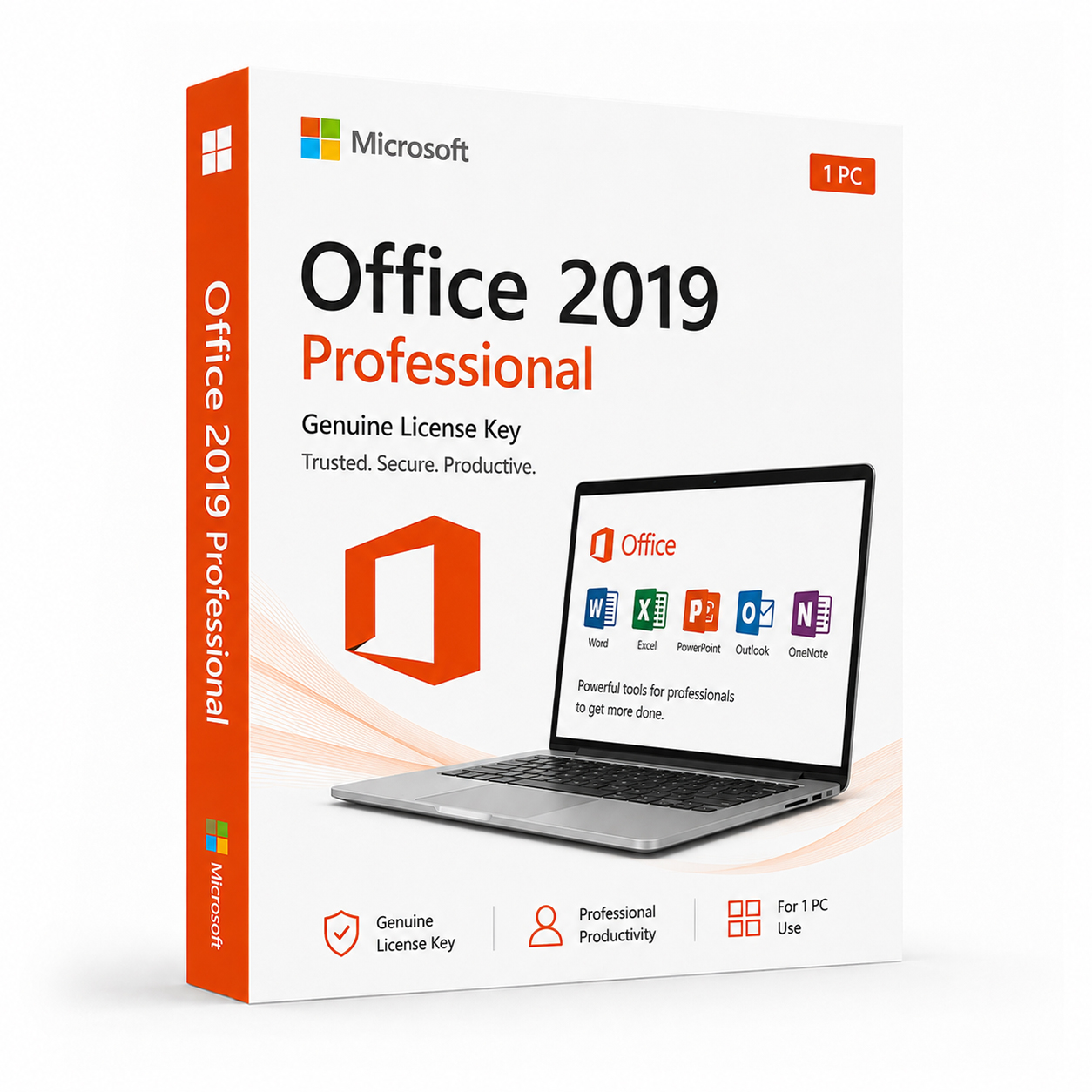
 Instant Delivery to Your Email
Microsoft Office 2019 Professional – Genuine License Key | Buy Now
If you run a business, manage client data, design marketing materials, or simply need the complete Office experience with every application Microsoft has to offer, Microsoft Office 2019 Professional is the full perpetual license edition built for exactly that. It’s the top retail tier of Office 2019 — every core application, every productivity tool, and full commercial use rights, all covered by a single one-time purchase. At QuickProductKey, every key we sell is sourced legitimately — no grey-market shortcuts, no recycled activations, no risk of your license being flagged after purchase. Just a clean, verified license delivered straight to your inbox, ready to install the moment you receive it.
So, What Exactly Is Office 2019 Professional?
Microsoft Office 2019 Professional is the complete perpetual license edition of the Office 2019 suite — a one-time purchase that gives you permanent access to Word, Excel, PowerPoint, Outlook, Publisher, Access, and OneNote without any ongoing subscription cost. You pay once, activate once, and the software is yours indefinitely. No renewal reminders, no billing cycles, no risk of losing access because a payment didn’t go through.
It was designed for small business owners, freelancers, consultants, and professionals who need the full Office toolkit — database management with Access, desktop publishing with Publisher, professional email and calendaring with Outlook, alongside the same Word, Excel, PowerPoint, and OneNote found in every other Office 2019 edition. Critically, Office 2019 Professional includes commercial use rights, meaning you can use it to run client work, generate invoices, manage business correspondence, and build marketing materials without licensing restrictions.
The applications included in the Professional edition are identical in terms of core functionality to the same applications in Professional Plus and other Office 2019 tiers. Word 2019 in this edition is the same Word 2019 that ships everywhere else — same features, same performance, same file compatibility. What sets Professional apart is the complete application set and the commercial licensing that comes with it.
What You Actually Get With Office 2019 Professional
Microsoft Word 2019 – The world’s most widely used word processor, brought to its most capable perpetual license release to date. Word 2019 introduced a significantly improved Focus Mode, an overhauled Accessibility Checker with actionable guidance, and improved Learning Tools for users with dyslexia and other reading differences. Enhanced track changes, better handling of large documents, and smoother performance on modern hardware round out a version of Word built for everything from a one-page memo to a full business proposal.
Microsoft Excel 2019 – The most analytically capable version of Excel ever included in a retail perpetual license. New functions including IFS, MAXIFS, MINIFS, CONCAT, TEXTJOIN, and SWITCH make complex formula work considerably easier, while new chart types like funnel charts and filled map charts expand the visualisation toolkit. Improved pivot tables, better handling of large datasets, and enhanced Power Query integration make Excel 2019 a serious tool for financial modelling, reporting, and business analysis.
Microsoft PowerPoint 2019 – The Morph transition enables smooth, cinematic animation between slides automatically, while the Zoom feature allows interactive, non-linear presentations that jump between sections based on audience discussion. Improved SVG support, 3D model insertion, better 4K video export, and enhanced high-DPI rendering make this the most capable standalone PowerPoint release for client pitches, board presentations, and internal training decks.
Microsoft Outlook 2019 – A full-featured email and calendar client built for professional communication. Outlook 2019 includes Focused Inbox to automatically sort priority messages, improved search across mailboxes and attachments, @mentions for flagging colleagues directly in messages, and travel and delivery summary cards that pull relevant details out of confirmation emails automatically. For anyone managing client correspondence or a busy schedule, Outlook 2019 is the centrepiece of day-to-day business communication.
Microsoft Publisher 2019 – Desktop publishing software for designing brochures, flyers, newsletters, business cards, and marketing materials without needing a dedicated design background. Publisher 2019 offers improved templates, better image handling, and refined typography controls, making professional-looking print and digital materials achievable without third-party design software.
Microsoft Access 2019 – A relational database application for building and managing structured business data — customer records, inventory tracking, project databases, and custom reporting tools. Access 2019 includes improved support for larger datasets, refined query design tools, and better integration with Excel and other Office applications for moving data between programs.
Microsoft OneNote 2019 – A fully-featured digital notebook that integrates across the entire Office suite and syncs through OneDrive. Useful for meeting notes, project planning, and organising research across notebooks, sections, and pages that stay fully searchable. Improved ink and handwriting support, enhanced search, and better audio recording integration round out the most useful standalone version of OneNote available.
OneDrive Integration – Seamless cloud storage built into every Office 2019 application. Save directly to OneDrive and access files from any device without manual transfers — useful for professionals working across an office desktop, a laptop, and a phone.
Real-Time Co-Authoring – Work on Word documents, Excel spreadsheets, and PowerPoint presentations simultaneously with colleagues or clients, with changes appearing in real time and tracked automatically across platforms.
Improved Inking Tools – New ink effects, better pressure sensitivity, and an improved Draw tab make Office 2019 noticeably more capable on Surface devices and other pen-enabled hardware, useful for annotating documents or sketching ideas directly into a file.
SVG and 3D Model Support – Insert scalable vector graphics and three-dimensional objects directly into documents, spreadsheets, and presentations without quality loss at any size — useful for polished client-facing materials.
Accessibility Improvements – A comprehensively improved Accessibility Checker, enhanced screen reader compatibility, better alt-text tools, and Learning Tools integration make Office 2019 significantly more accessible across the board.
Performance on Modern Hardware – Faster launch times, smoother scrolling through large documents, quicker formula calculation on multi-core processors, and better rendering on 4K and high-DPI displays compared to earlier Office releases.
Lifetime Activation – Pay once, use permanently. Office 2019 Professional is yours indefinitely from the moment of activation — no subscription, no expiry date, no ongoing cost.
Everything Included With Your Purchase
- One genuine Microsoft Office 2019 Professional license key
- Delivered to your email address immediately after payment is confirmed
- Clear, step-by-step installation and activation instructions included
- Direct link to Microsoft’s official Office 2019 download page
- Lifetime activation — pay once, use permanently
- Compatible with Windows 10 and Windows 11
- Single device license — installs on one PC
- Full commercial use rights included
Minimum System Requirements
| Component | What You Need |
|---|---|
| Operating System | Windows 10 or Windows 11 |
| Processor | 1.6 GHz or faster, 2-core minimum |
| RAM | 4 GB (64-bit) / 2 GB (32-bit) |
| Storage | 4 GB available space |
| Display | 1280 x 768 or higher |
| Graphics | DirectX 9 or later with WDDM 2.0 |
| Internet | Required for activation |
Office 2019 Professional is a Windows-only release on this license. Before purchasing, verify your machine is running Windows 10 or Windows 11 — Office 2019 is not supported on Windows 7 or Windows 8.
How Activation Works — Step by Step
- Place your order — your key arrives by email within minutes
- Head to Microsoft’s official Office portal to download the installer: https://quickproductkey.com/software-downloads/
- Run the installer and complete the setup process
- When prompted, sign into or create a Microsoft account
- Enter your product key when asked during activation
- Hit Activate — Word, Excel, PowerPoint, Outlook, Publisher, Access, and OneNote are ready to use immediately
Stuck at any point? Our support team is available around the clock: https://quickproductkey.com/contact/
Office 2019 Editions — Which One Is Right for You?
| Application | Home & Student | Home & Business | Professional |
|---|---|---|---|
| Word | ✔ | ✔ | ✔ |
| Excel | ✔ | ✔ | ✔ |
| PowerPoint | ✔ | ✔ | ✔ |
| OneNote | ✔ | ✔ | ✔ |
| Outlook | ✗ | ✔ | ✔ |
| Publisher | ✗ | ✗ | ✔ |
| Access | ✗ | ✗ | ✔ |
| Commercial Use Rights | ✗ | ✔ | ✔ |
Professional is the right choice if you need the complete application set — including Publisher for design work and Access for database management — alongside full commercial use rights for client work, invoicing, and business operations.
Office 2019 Professional vs Microsoft 365 — The Honest Comparison
This is the question most buyers weighing up a purchase ask first, and it deserves a direct answer.
Microsoft 365 delivers always-current application versions, generous cloud storage, and ongoing access to the latest AI and productivity features — but it requires a recurring subscription fee. Stop paying, and the full applications revert to limited functionality.
Office 2019 Professional gives you a permanently owned license with no ongoing fees, no billing cycle, and no risk of losing full access to your software. The applications receive security updates throughout Microsoft’s support lifecycle but don’t receive new feature additions after release.
For small businesses and professionals whose needs are well-served by the full Office 2019 application set, the one-time purchase model is simply more economical over any period beyond eighteen months to two years — particularly once a subscription is multiplied across several years of business use.
Who Should Choose Office 2019 Professional?
Small Business Owners – Manage client correspondence in Outlook, build invoices and reports in Excel, design marketing materials in Publisher, and track inventory or customer records in Access — all under one license with full commercial rights.
Freelancers & Consultants – A complete, professional-grade application set for client deliverables, proposals, presentations, and business communication, owned outright rather than rented monthly.
Office Administrators – Outlook’s calendaring and email tools, combined with Word, Excel, and PowerPoint, cover the day-to-day needs of running an office without requiring a broader Microsoft 365 deployment.
Database-Dependent Teams – Anyone who needs Access for structured data management gets it included, rather than needing a separate subscription tier or add-on.
Budget-Conscious Businesses – Over a three to five year period, a one-time Professional license costs a fraction of an equivalent Microsoft 365 Business subscription multiplied across that same timeframe.
Anyone Who Prefers to Own Their Software – For businesses that prefer to buy software outright rather than commit to a recurring billing relationship, Office 2019 Professional is built for exactly that.
Why Customers Choose QuickProductKey
We’re not the cheapest option on the internet — and we don’t try to be. What we offer is reliability. Every key we sell is verified before it goes out. If for any reason activation fails, you get a full refund. No arguing, no runaround.
- Keys are genuine — not cracked, not reused
- Email delivery in minutes, not hours
- One-time payment, lifetime activation
- Money-back guarantee if it doesn’t work
- 24/7 support from people who actually know the product
- Secure checkout via PayPal, Visa, and Stripe
Full refund policy here: https://quickproductkey.com/refund-and-returns-policy/
This is a digital product. Nothing will be posted to you. Your license key is delivered by email as soon as your payment is confirmed.
Be the first to review “Microsoft Office 2019 Professional – Genuine License Key | Buy Now”
You must be logged in to post a review.
Related products





Reviews
There are no reviews yet.