

 Instant Delivery to Your Email
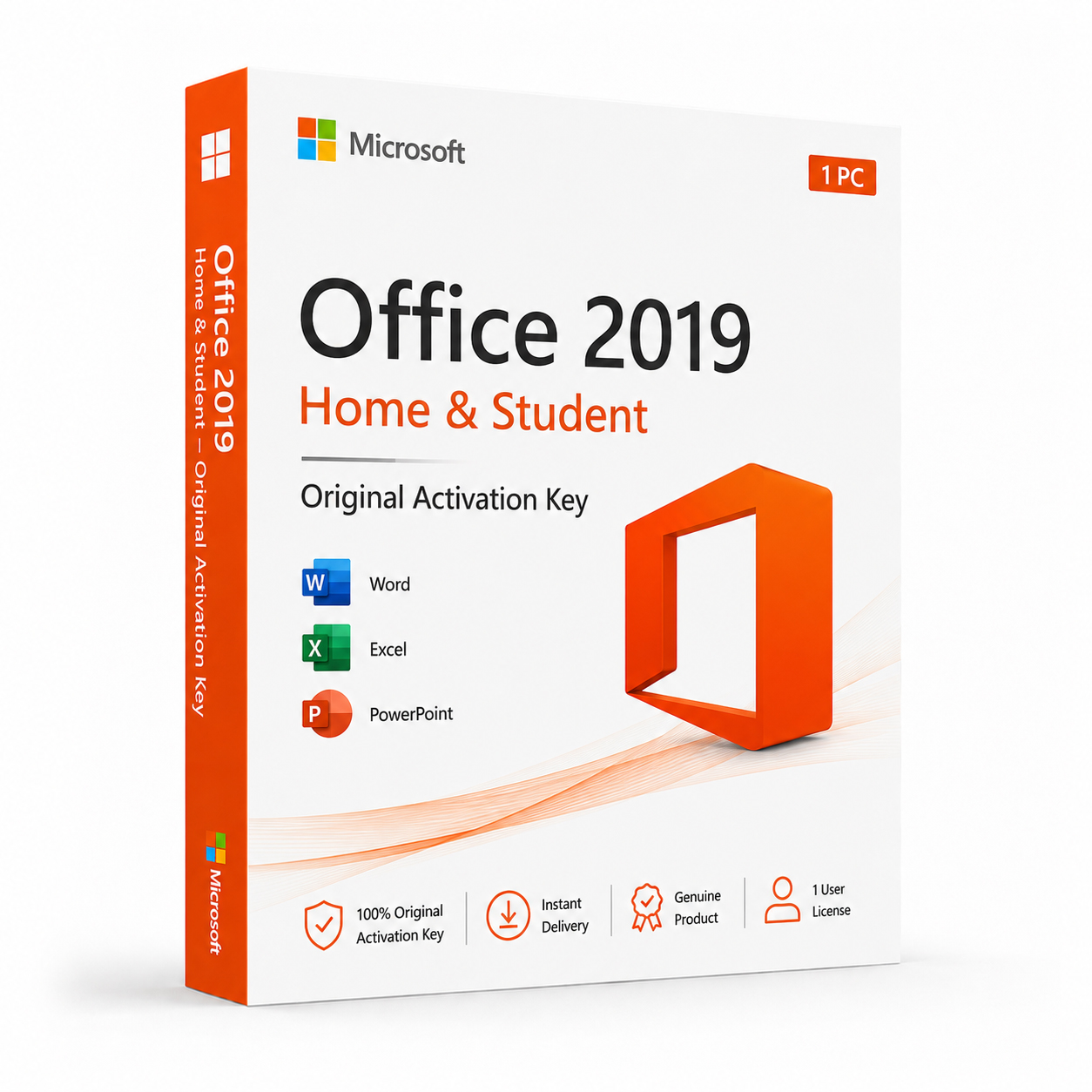
Microsoft Office 2019 Home & Student – Original Activation Key
If you’re a student, a home user, or anyone who needs a reliable, fully-featured Office suite for everyday personal use without paying a monthly subscription fee, Microsoft Office 2019 Home & Student delivers exactly what you need at a price that makes sense for a one-time purchase. It’s the entry-level edition of Office 2019 in name only — in practice, it includes the three core Office applications that cover the vast majority of what most people actually use Office for, every single day. At QuickProductKey, every key we sell is sourced legitimately — no grey-market shortcuts, no recycled activations, no risk of your license being flagged after purchase. Just a clean, verified license delivered straight to your inbox, ready to install the moment you receive it.
So, What Exactly Is Office 2019 Home & Student?
Microsoft Office 2019 Home & Student is the foundational perpetual license edition of the Office 2019 suite — a one-time purchase that gives you permanent access to Word, Excel, PowerPoint, and OneNote without any ongoing subscription cost. You pay once, activate once, and the software is yours indefinitely. No renewal reminders, no billing cycles, no risk of losing access because a payment didn’t go through.
It was designed for personal and non-commercial use — students working through coursework and assignments, households that need a reliable productivity suite for everyday tasks, writers and bloggers drafting and editing content, and anyone who simply wants the genuine Office experience on their personal machine without the overhead of a Microsoft 365 subscription they may not fully need.
The applications included in Home & Student are identical in terms of core functionality to the same applications in higher Office 2019 editions. Word 2019 in Home & Student is the same Word 2019 that ships in Professional Plus — same features, same performance, same file compatibility. The difference between editions comes down to which applications are included and whether commercial use rights are covered, not the quality or capability of the applications themselves.
For personal use, studying, home office tasks, and everyday productivity — Office 2019 Home & Student covers the ground thoroughly and reliably.
What You Actually Get With Office 2019 Home & Student
Microsoft Word 2019 – The world’s most widely used word processor, brought to its most capable perpetual license release to date. Word 2019 introduced a significantly improved Focus Mode that strips away toolbars and distractions, leaving nothing but the document and your writing. The Accessibility Checker received a major overhaul, providing actionable guidance for making documents more inclusive. Improved Learning Tools support better readability for users with dyslexia and other reading differences. Enhanced track changes functionality, better handling of large documents with complex formatting, and smoother performance on modern hardware round out a version of Word that handles everything from a two-paragraph cover letter to a two-hundred-page dissertation with equal reliability.
Microsoft Excel 2019 – The most analytically capable version of Excel ever included in a Home & Student perpetual license. Excel 2019 brought a suite of new functions that were previously exclusive to Microsoft 365 subscribers — IFS, MAXIFS, MINIFS, CONCAT, TEXTJOIN, and SWITCH — making complex formula work considerably more straightforward than older Excel versions required. New chart types including funnel charts and filled map charts expanded the data visualisation toolkit. Improved pivot table functionality, better handling of large datasets, enhanced Power Query integration for data import and transformation, and cleaner rendering on high-DPI displays make Excel 2019 a genuinely powerful tool even in the Home & Student edition.
Microsoft PowerPoint 2019 – PowerPoint 2019 brought two headline features that transformed what perpetual license users could do with presentations. The Morph transition enables smooth, cinematic animation between slides by automatically identifying and animating matching elements — a feature that previously required manual animation work or expensive third-party tools, now built directly into the application. The Zoom feature enables interactive, non-linear presentations where presenters can jump between sections dynamically based on audience questions or discussion flow. Improved SVG support for scalable graphics that look sharp at any size, 3D model insertion and rotation directly within slides, better 4K video export for high-resolution presentation recording, and enhanced Retina and high-DPI display rendering complete a PowerPoint release that’s more capable than any previous standalone version.
Microsoft OneNote 2019 – A fully-featured digital notebook that integrates seamlessly with the rest of the Office suite and syncs across devices through OneDrive. OneNote 2019 is particularly well-suited to student workflows — capturing lecture notes, clipping web research, embedding images and documents, and organising everything into notebooks, sections, and pages that are fully searchable across the entire collection. Improved ink and handwriting support makes OneNote 2019 especially useful on touchscreen devices and tablets. Enhanced search across all notebooks, better audio recording integration for capturing lectures, and smoother performance compared to earlier versions make this the most useful version of OneNote available in a perpetual license.
OneDrive Integration – Seamless cloud storage built into every Office 2019 application. Save directly to OneDrive from Word, Excel, PowerPoint, or OneNote and access your files from any device — another computer, a phone, a tablet — without manual file transfers or worrying about local backups. For students moving between a home PC and a campus computer, or anyone working across multiple devices, OneDrive integration removes the friction of keeping files in sync.
Real-Time Co-Authoring – Work on Word documents, Excel spreadsheets, and PowerPoint presentations simultaneously with other people, with changes appearing in real time. For group assignments, collaborative projects, and shared documents, co-authoring in Office 2019 works across platforms — a Windows user and a Mac user can edit the same document together without compatibility issues. Changes are tracked, conflicts are handled automatically, and the experience is considerably smoother than emailing files back and forth.
Improved Inking Tools – Across Word, Excel, and PowerPoint, Office 2019 delivered a significantly improved inking experience for touchscreen and stylus users. New ink effects including galaxy, rainbow, lava, and ocean brushes expanded creative possibilities. Better pressure sensitivity handling, an improved Draw tab with more intuitive controls, and the ability to convert ink drawings to standard shapes make Office 2019 noticeably more capable on Surface devices, touchscreen laptops, and other pen-enabled hardware.
SVG and 3D Model Support – Insert scalable vector graphics directly into any Office document without quality loss at any size — essential for creating professional-looking documents that need to be printed or displayed at varying scales. Full 3D model support across Word, Excel, and PowerPoint lets you insert, rotate, and position three-dimensional objects directly within documents and presentations, adding a visual dimension that wasn’t possible in Office 2016.
Accessibility Improvements – A comprehensively improved Accessibility Checker in Word, Excel, and PowerPoint identifies potential accessibility issues and provides clear, actionable guidance for resolving them. Enhanced screen reader compatibility, improved alt-text tools for images and media, better colour contrast checking, and Learning Tools integration for reading support make Office 2019 significantly more accessible than older versions across the board.
Performance on Modern Hardware – Office 2019 was built with current hardware in mind. Faster application launch times, smoother scrolling through large documents, quicker formula calculation in Excel on multi-core processors, improved rendering on 4K and high-DPI displays, and better overall responsiveness on SSDs and modern CPUs compared to Office 2016 and earlier versions.
Lifetime Activation – Pay once, use permanently. Office 2019 Home & Student is yours indefinitely from the moment of activation — no subscription, no expiry date, no ongoing cost to maintain access to your software.
Everything Included With Your Purchase
✔ One genuine Microsoft Office 2019 Home & Student license key
✔ Delivered to your email address immediately after payment is confirmed
✔ Clear, step-by-step installation and activation instructions included
✔ Direct link to Microsoft’s official Office 2019 download page
✔ Lifetime activation — pay once, use permanently
✔ Compatible with Windows 10 and Windows 11
✔ Single device license — installs on one PC
Minimum System Requirements
| Component | What You Need |
|---|---|
| Operating System | Windows 10 or Windows 11 |
| Processor | 1.6 GHz or faster, 2-core minimum |
| RAM | 4 GB (64-bit) / 2 GB (32-bit) |
| Storage | 4 GB available space |
| Display | 1280 x 768 or higher |
| Graphics | DirectX 9 or later with WDDM 2.0 |
| Internet | Required for activation |
Office 2019 Home & Student is a Windows-only release on this license. Mac users should look at the dedicated Office 2019 Home & Student for Mac edition. Before purchasing, verify your machine is running Windows 10 or Windows 11 — Office 2019 is not supported on Windows 7 or Windows 8.
How Activation Works — Step by Step
- Place your order — your key arrives by email within minutes
- Head to Microsoft’s official Office portal to download the installer: https://quickproductkey.com/software-downloads/
- Run the installer and complete the setup process
- When prompted, sign into or create a Microsoft account
- Enter your product key when asked during activation
- Hit Activate — Word, Excel, PowerPoint, and OneNote are ready to use immediately
Stuck at any point? Our support team is available around the clock: https://quickproductkey.com/contact/
Office 2019 Editions — Which One Is Right for You?
| Application | Home & Student | Home & Business | Professional Plus |
|---|---|---|---|
| Word | ✔ | ✔ | ✔ |
| Excel | ✔ | ✔ | ✔ |
| PowerPoint | ✔ | ✔ | ✔ |
| OneNote | ✔ | ✔ | ✔ |
| Outlook | ✗ | ✔ | ✔ |
| Access | ✗ | ✗ | ✔ |
| Publisher | ✗ | ✗ | ✔ |
| Commercial Use Rights | ✗ | ✔ | ✔ |
Home & Student is the right choice for personal and non-commercial use where Outlook, Access, and Publisher aren’t required. If you need a professional email client integrated into the suite, the Home & Business edition adds Outlook and commercial use rights. If you need Access for database work, Publisher for desktop publishing, or full commercial deployment rights, Professional Plus is the edition to consider.
Office 2019 Home & Student vs Microsoft 365 Personal — The Honest Comparison
This is the question most people weighing up a purchase ask first, and it deserves a direct, honest answer.
Microsoft 365 Personal delivers always-current application versions, 1 TB of OneDrive cloud storage, and ongoing access to the latest AI and productivity features — but it requires a recurring annual or monthly subscription fee. Stop paying, and the full applications revert to read-only mode.
Office 2019 Home & Student gives you a permanently owned license with no ongoing fees, no billing cycle, and no risk of losing full access to your software. The applications receive security updates throughout Microsoft’s support lifecycle but don’t receive new feature additions after release.
For students and home users whose productivity needs are well-served by Word, Excel, PowerPoint, and OneNote as they exist in the 2019 release — which covers the overwhelming majority of personal and academic computing tasks — the one-time purchase model is simply more economical over any period beyond eighteen months to two years. The practical day-to-day difference for most personal users between Office 2019 and Microsoft 365 is far smaller than the ongoing subscription cost implies over a three to five year horizon.
Who Should Choose Office 2019 Home & Student?
Students at Every Level – From secondary school through to postgraduate research, Office 2019 Home & Student covers every academic writing, analysis, and presentation need. Word handles essays, dissertations, and reports. Excel manages data, statistics, and research analysis. PowerPoint builds seminar and thesis presentations. OneNote organises lecture notes, research, and ideas across an entire degree programme. One purchase, permanent access, no subscription expiring mid-semester.
Home Users & Families – For households that need a reliable, genuinely compatible Office suite for everyday tasks — letters, household budgets, family presentations, personal projects — Home & Student delivers the full Office experience without subscription overhead. One license, one machine, permanently owned.
Writers & Bloggers – Word 2019’s improved Focus Mode, better grammar and style tools, and enhanced document handling make it the most capable standalone word processor in the perpetual license range. For anyone whose primary computing task is writing, Word 2019 is a serious tool that more than earns its price.
Budget-Conscious Buyers – Over a three to five year period, a one-time Home & Student license costs a fraction of an equivalent Microsoft 365 Personal subscription. For users who don’t need the latest features every update cycle, the financial case for perpetual licensing is straightforward and compelling.
Users Upgrading From Older Office Versions – If you’re running Office 2013 or Office 2016 and the subscription model doesn’t appeal, Office 2019 Home & Student is a meaningful upgrade that brings new functions, new features, and modern hardware optimisation — without changing your relationship with how you pay for software.
Anyone Who Prefers to Own Their Software – Not everyone wants a subscription for every piece of software they use. Office 2019 Home & Student is for the people who prefer to buy something once, own it outright, and use it without ongoing cost or dependency on a billing relationship with Microsoft.
Why Customers Choose QuickProductKey
We’re not the cheapest option on the internet — and we don’t try to be. What we offer is reliability. Every key we sell is verified before it goes out. If for any reason activation fails, you get a full refund. No arguing, no runaround.
✔ Keys are genuine — not cracked, not reused
✔ Email delivery in minutes, not hours
✔ One-time payment, lifetime activation
✔ Money-back guarantee if it doesn’t work
✔ 24/7 support from people who actually know the product
✔ Secure checkout via PayPal, Visa, and Stripe
Full refund policy here: https://quickproductkey.com/refund-and-returns-policy/
This is a digital product. Nothing will be posted to you. Your license key is delivered by email as soon as your payment is confirmed.




Reviews
There are no reviews yet.