

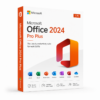
 Instant Delivery to Your Email
Microsoft Office 2024 Pro Plus – Limited Time Deal
If you’ve been putting off upgrading your productivity suite because of the cost, or you’re tired of paying a monthly Microsoft 365 subscription for software you already own outright on older versions — this is the deal worth paying attention to. Microsoft Office 2024 Pro Plus is the most complete, fully-featured version of the Office suite Microsoft has ever released as a one-time purchase, and right now it’s available at QuickProductKey at a price that reflects the reality of what people actually want to pay for software they’ll use every single day.
Every key we sell is sourced legitimately. No grey-market workarounds, no reused activations, no risk of your license being revoked three months after purchase. Just a clean, genuine Office 2024 Pro Plus license delivered straight to your inbox, ready to install on your machine the moment you receive it.
So, What Exactly Is Office 2024 Pro Plus?
Microsoft Office 2024 Pro Plus is the latest perpetual license edition of the Office suite — meaning you pay once and own it permanently, with no ongoing subscription fees and no monthly billing to worry about. It’s the version designed for individuals, professionals, and businesses that want the complete Office application stack without committing to a recurring Microsoft 365 plan.
Pro Plus sits at the top of the Office 2024 lineup, including every application Microsoft offers in the suite. Where standard Office 2024 Home & Student gives you the basics, and Home & Business adds Outlook, Pro Plus goes further — delivering the full professional application set including Access and Publisher alongside the core apps, with the enhanced feature set reserved for the highest tier of the perpetual license range.
Since its release, Office 2024 has incorporated meaningful improvements across every application — refined AI-assisted features, better performance on modern hardware, improved collaboration tools, and a cleaner interface that reflects years of refinement from the Microsoft 365 development cycle brought into the perpetual license edition. In 2026, Office 2024 Pro Plus is a mature, polished product that covers virtually every professional productivity need without requiring a cloud subscription to unlock its full potential.
What You Actually Get With Office 2024 Pro Plus
Microsoft Word 2024 – The gold standard for word processing, now with improved AI-assisted writing suggestions, better document formatting tools, enhanced accessibility features, and smoother performance on modern hardware. Whether you’re drafting a one-page letter or a two-hundred-page technical document, Word 2024 handles it with the same reliability it’s been known for — just faster and more capable than any previous version.
Microsoft Excel 2024 – More powerful than any previous standalone Excel release, Excel 2024 brings significant improvements to data analysis, formula handling, and visualisation. New functions, improved dynamic array support, better chart rendering, and enhanced performance on large datasets make this the most capable version of Excel available outside of Microsoft 365. For finance professionals, analysts, researchers, and anyone who lives in spreadsheets — Excel 2024 is a genuine upgrade.
Microsoft PowerPoint 2024 – Presentation creation has been refined across every stage of the workflow. Improved Designer suggestions, better transition and animation controls, enhanced video embedding, and smoother performance when working with media-heavy slides. Presenting from PowerPoint 2024 on modern hardware is noticeably more responsive than older versions, and the output quality on high-resolution displays is sharper than ever.
Microsoft Outlook 2024 – The most significant Outlook update in years. A redesigned interface, improved calendar management, better search functionality, enhanced email organisation tools, and stronger integration with other Office applications. For anyone managing a busy inbox and a complex schedule, Outlook 2024 is a meaningful step forward from previous perpetual license versions.
Microsoft OneNote 2024 – A fully-featured digital notebook that integrates seamlessly with the rest of the Office suite. Improved ink support, better organisation tools, enhanced search across notebooks, and smoother syncing make OneNote 2024 the most capable standalone note-taking application in the Office ecosystem.
Microsoft Access 2024 – The full desktop database application, available exclusively in Pro Plus. Build, manage, and query databases without requiring a separate database solution. For small businesses, researchers, and anyone managing structured data at a scale that spreadsheets can’t comfortably handle, Access remains an indispensable tool.
Microsoft Publisher 2024 – Desktop publishing for professional-quality print and digital layouts, also exclusive to the Pro Plus tier. Create brochures, newsletters, marketing materials, and publications with precise layout control that Word’s formatting tools aren’t designed to provide.
Microsoft Teams – Included with Office 2024 Pro Plus for communication, video calls, and collaboration. Integrated directly with the rest of the suite so moving between a document and a Teams call is seamless rather than switching between entirely separate applications.
Improved AI-Assisted Features – Office 2024 brings a suite of intelligent assistance tools across Word, Excel, PowerPoint, and Outlook. Smarter autocomplete, better contextual suggestions, improved grammar and style analysis in Word, and more accurate formula suggestions in Excel — all built into the applications without requiring a separate AI subscription.
Enhanced Collaboration Tools – Real-time co-authoring, improved comment and review workflows, better version history management, and smoother integration with SharePoint and OneDrive for teams working on shared documents. Office 2024 Pro Plus makes collaborative work significantly more manageable than older perpetual license versions.
Better Performance on Modern Hardware – Office 2024 has been optimised for current processor architectures, high-resolution displays, and modern storage. Application launch times are faster, large file handling is smoother, and rendering on 4K and high-DPI displays is noticeably sharper than previous versions.
Improved Accessibility – Across every application in the suite, Office 2024 Pro Plus includes enhanced accessibility tools — better screen reader support, improved colour contrast options, more robust accessibility checkers built into Word and PowerPoint, and Live Captions integration for presentations.
Lifetime Activation – Pay once, use permanently. No subscription renewal, no monthly billing, no risk of losing access to your software because you missed a payment. Office 2024 Pro Plus is yours indefinitely from the moment you activate it.
Everything Included With Your Purchase
✔ One genuine Microsoft Office 2024 Pro Plus license key
✔ Delivered to your email address immediately after payment is confirmed
✔ Clear, step-by-step installation and activation instructions included
✔ Direct link to Microsoft’s official Office 2024 download page
✔ Lifetime activation — pay once, use permanently
✔ Compatible with Windows 10 and Windows 11
Minimum System Requirements
| Component | What You Need |
|---|---|
| Operating System | Windows 10 or Windows 11 |
| Processor | 1.1 GHz or faster, 2-core minimum |
| RAM | 4 GB (64-bit) |
| Storage | 4 GB available space |
| Display | 1280 x 768 or higher |
| Graphics | DirectX 9 or later with WDDM 2.0 |
| Internet | Required for activation |
Office 2024 Pro Plus is a Windows-only release. Mac users should look at Office 2024 for Mac, which carries a different feature set. Before purchasing, verify your machine meets these requirements — particularly the processor and RAM minimums if you’re running older hardware.
How Activation Works — Step by Step
- Place your order — your key arrives by email within minutes
- Head to Microsoft’s official Office portal to download the installer: https://quickproductkey.com/software-downloads/
- Run the installer and complete the setup process
- When prompted, sign into or create a Microsoft account
- Enter your product key when asked during activation
- Hit Activate — Office 2024 Pro Plus is ready to use across all included applications
Stuck at any point? Our support team is available around the clock: https://quickproductkey.com/contact/
Office 2024 Editions — Which One Is Right for You?
| Application | Home & Student | Home & Business | Pro Plus |
|---|---|---|---|
| Word | ✔ | ✔ | ✔ |
| Excel | ✔ | ✔ | ✔ |
| PowerPoint | ✔ | ✔ | ✔ |
| OneNote | ✔ | ✔ | ✔ |
| Outlook | ✗ | ✔ | ✔ |
| Access | ✗ | ✗ | ✔ |
| Publisher | ✗ | ✗ | ✔ |
| Teams | ✗ | ✗ | ✔ |
| Commercial Use Rights | ✗ | ✔ | ✔ |
Pro Plus is the only edition that includes every application in the Office suite. If you need Access for database work, Publisher for desktop publishing, or Teams integration built directly into the suite — Pro Plus is the only perpetual license edition that delivers all of it in a single purchase.
Office 2024 Pro Plus vs Microsoft 365 — The Honest Comparison
This is the question most people ask before purchasing, and it deserves a direct answer.
Microsoft 365 gives you always-current application versions, cloud storage through OneDrive, and access to Copilot AI features — but it costs a recurring subscription fee every month or year, indefinitely. Stop paying, and you lose access to the full applications.
Office 2024 Pro Plus gives you a fixed version of the suite that you own permanently, with no ongoing fees and no risk of losing access. The applications don’t receive new feature updates after release, but they do receive security patches for the full support lifecycle. For users whose workflows don’t depend on bleeding-edge feature additions, the one-time purchase model is simply more economical over any period longer than two or three years.
For most professional users, the practical difference in day-to-day functionality between Office 2024 Pro Plus and Microsoft 365 is minimal. The core applications are essentially the same. The choice comes down to whether you prefer to own your software outright or rent access to it on an ongoing basis.
Who Should Choose Office 2024 Pro Plus?
Business Owners & Professionals – Commercial use rights are included, making Pro Plus suitable for business environments without additional licensing concerns. Access and Publisher cover use cases that smaller Office editions simply don’t address.
Finance & Data Professionals – Excel 2024’s improvements to data analysis, dynamic arrays, and large dataset performance make this a meaningful upgrade for anyone whose work revolves around spreadsheets and data modelling.
Database Users – Access 2024 is the only desktop database application included in any Office perpetual license edition below Pro Plus. If you rely on Access for business data management, Pro Plus is your only option in the standalone license range.
Designers & Marketing Teams – Publisher 2024 provides desktop publishing capabilities that Word’s layout tools can’t replicate. For teams producing professional print materials, newsletters, or marketing collateral in-house, Publisher is worth the Pro Plus price on its own.
Subscription-Averse Users – If you’ve made a deliberate decision to move away from ongoing software subscriptions, Office 2024 Pro Plus is the most complete perpetual license Microsoft offers. Pay once, own it permanently, use it without interruption.
Small Businesses on a Budget – Over a three to five year period, a one-time Pro Plus license costs significantly less than an equivalent Microsoft 365 Business subscription covering the same feature set. For cost-conscious businesses that don’t need the latest features every six months, the maths strongly favours Pro Plus.
Why Customers Choose QuickProductKey
We’re not the cheapest option on the internet — and we don’t try to be. What we offer is reliability. Every key we sell is verified before it goes out. If for any reason activation fails, you get a full refund. No arguing, no runaround.
✔ Keys are genuine — not cracked, not reused
✔ Email delivery in minutes, not hours
✔ One-time payment, lifetime activation
✔ Money-back guarantee if it doesn’t work
✔ 24/7 support from people who actually know the product
✔ Secure checkout via PayPal, Visa, and Stripe
Full refund policy here: https://quickproductkey.com/refund-and-returns-policy/
This is a digital product. Nothing will be posted to you. Your license key is delivered by email as soon as your payment is confirmed.
Be the first to review “Microsoft Office 2024 Pro Plus – Limited Time Deal”
You must be logged in to post a review.
Related products




Reviews
There are no reviews yet.