
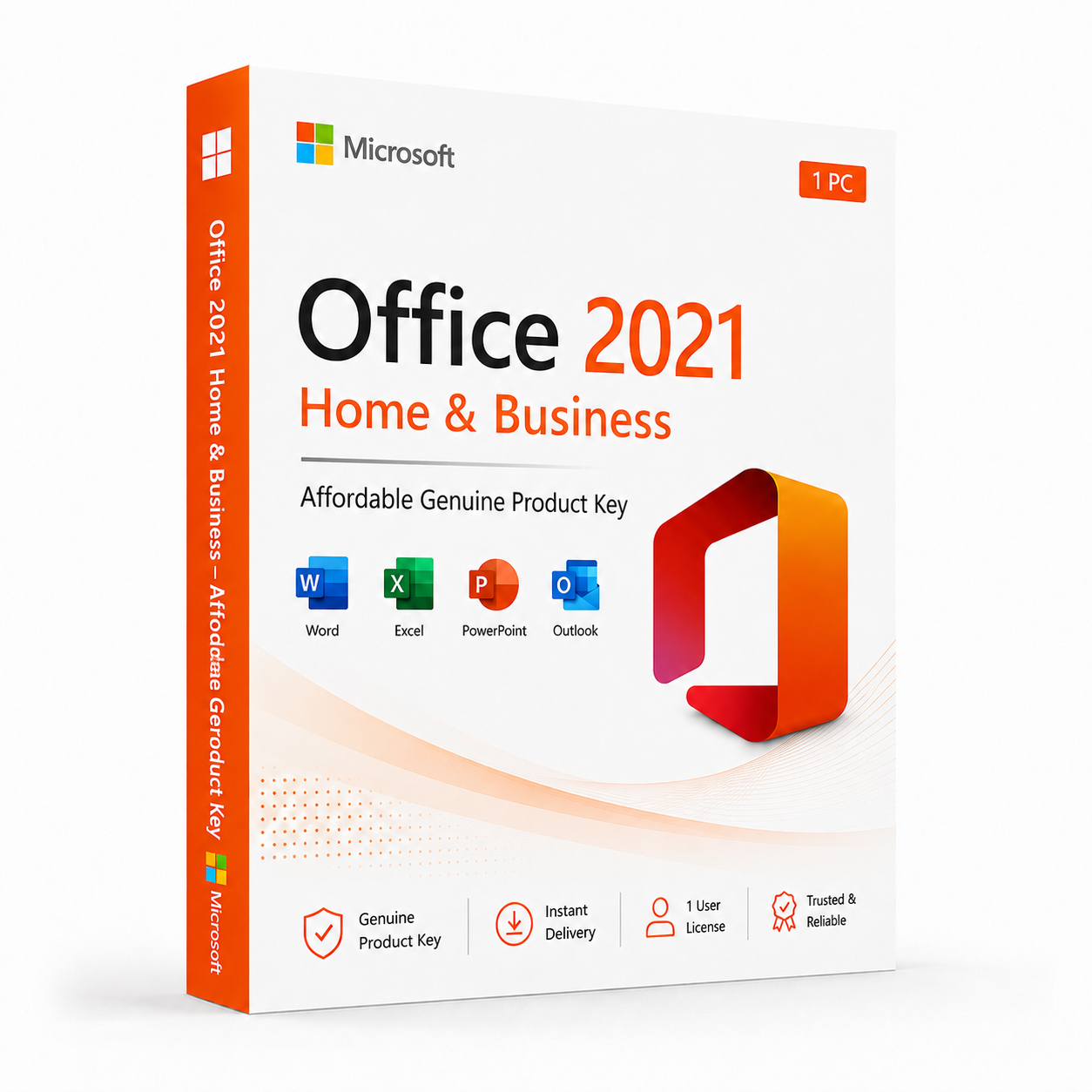
Microsoft Office 2021 Home & Business – Affordable Genuine Product Key

Original price was: $299.00.$149.99Current price is: $149.99.
 Instant Delivery to Your Email
Lifetime License – Yours Forever
One-Time Payment – No Hidden Fees
100% Genuine Microsoft Product Key
Money-Back Guarantee & 24/7 Support
Microsoft Office 2021 Home & Business – Genuine Product Key
Every app you actually need. One purchase. Licensed permanently.
Microsoft Office 2021 Home & Business delivers the complete everyday productivity suite — Word, Excel, PowerPoint, Outlook, and OneNote — in a single, one-time purchase with no subscription attached. No monthly fees, no renewal reminders, no account required to keep your software running. Just a genuine product key, a permanent activation, and the full Office 2021 Home & Business experience on your PC from the moment you install.
Why Office 2021 Home & Business — And Why It Makes Sense
Microsoft 365 gets the marketing attention, but it comes with a condition most users eventually resent: stop paying, stop working. For individuals, home office workers, and small business owners who want Word, Excel, PowerPoint, and Outlook permanently — without committing to a subscription indefinitely — Office 2021 Home & Business is the straightforward, sensible alternative.
Home & Business is also the edition that crosses the line from personal to professional use. Unlike Home & Student, which restricts commercial use, Home & Business is fully licensed for business purposes — client work, invoicing, proposals, business correspondence, and everything else a professional workflow demands. One purchase, one activation, commercial use included, permanent license.
And Office 2021 isn’t an ageing product on life support. It’s a mature, stable release that received meaningful feature additions over its predecessors — including XLOOKUP in Excel, improved co-authoring across the suite, and a rebuilt Outlook experience — and continues to receive security updates through 2026 and beyond.
Every App — Fully Licensed, Permanently
Microsoft Word 2021
The definitive word processor for every kind of writing task. Word 2021 brings improved real-time collaboration, enhanced accessibility checker, and refined content tools that make drafting, editing, and formatting documents faster and more precise. Whether you’re writing client proposals, business reports, or personal projects, Word 2021 delivers the full desktop experience that browser-based alternatives simply can’t match.
Microsoft Excel 2021
Serious spreadsheet capability for data analysis, financial modelling, and business reporting. Excel 2021 introduces XLOOKUP — a more powerful, flexible replacement for VLOOKUP — alongside dynamic arrays, the LET function, and new data types that bring meaningful analytical upgrades to the perpetual release. Pivot tables, Power Query, advanced charting, and full macro support all fully intact.
Microsoft PowerPoint 2021
Professional presentation design with new transition effects, improved Presenter Coach for rehearsal and delivery feedback, and enhanced collaboration features. Build polished, professional presentations — fully offline, no subscription required, no feature restrictions compared to the Microsoft 365 equivalent.
Microsoft Outlook 2021
Email, calendar, contacts, and task management unified in one interface. Outlook 2021 brings improved search performance, better focused inbox filtering, and a cleaner overall experience for managing a busy professional workflow. The most capable standalone email client available for Windows — and fully licensed for commercial use in this edition.
Microsoft OneNote
Structured note-taking that integrates naturally with the rest of the Office suite. Capture meeting notes, build research notebooks, clip web content, and organise ideas across every area of your work and life — synced through OneDrive when cross-device access matters.
Key Features Across the Suite
Real-Time Co-Authoring
Work on the same document, spreadsheet, or presentation simultaneously with colleagues — changes appear live, comments are threaded, and version history is maintained automatically across Word, Excel, and PowerPoint when files are stored in OneDrive or SharePoint.
Excel’s New Functions
XLOOKUP delivers more flexible, more powerful lookups than VLOOKUP ever could. Dynamic arrays let a single formula spill results across multiple cells automatically. LET function enables cleaner, more readable formula construction. These aren’t Microsoft 365 exclusives anymore — they’re fully available in Office 2021 Home & Business.
Full Offline Functionality
Every app in the suite works completely offline after activation. No internet connection required for day-to-day use — your productivity tools function regardless of network availability.
OneDrive Integration
Save, sync, and access your files from anywhere through OneDrive — included with your Microsoft account at no extra cost. Files stored in OneDrive are accessible from any device and automatically backed up.
SharePoint Compatibility
Open, edit, and save files directly to SharePoint from within every Office app — essential for teams working in shared document libraries and collaborative environments.
Full Windows Integration
Office 2021 Home & Business integrates natively with Windows 10 and Windows 11 — taskbar pinning, file association, Windows Search indexing, and Windows Hello authentication all work seamlessly out of the box.
Mobile App Compatibility
Your Office license works alongside the free Office mobile apps — Word, Excel, PowerPoint, and Outlook on Android and iOS — keeping your workflow connected across devices without additional cost.
Commercial Use Licensed
Unlike Home & Student, Office 2021 Home & Business is fully licensed for commercial purposes. Client work, business correspondence, invoicing, proposals — all covered under a single legitimate license.
Full Formatting Compatibility
Documents created in Office 2021 Home & Business are fully compatible with Microsoft 365, older Office versions, and Office on Mac — no formatting loss, no compatibility warnings when sharing files across platforms or with colleagues using different versions.
Stable, Mature Performance
Office 2021 has had years to mature since its initial release. It’s a stable, thoroughly tested build with known performance characteristics — ideal for users who prioritise reliability over bleeding-edge feature updates.
Everything Included With Your Purchase
✔ One genuine Microsoft Office 2021 Home & Business product key
✔ Delivered to your inbox immediately after payment is confirmed
✔ Full suite: Word, Excel, PowerPoint, Outlook, and OneNote
✔ Step-by-step activation instructions included
✔ Direct link to Microsoft’s official Office download page
✔ Lifetime activation — one-time purchase, permanently licensed
✔ Licensed for one PC
✔ Commercial use fully permitted
System Requirements
| Component | Requirement |
|---|---|
| Operating System | Windows 10 or Windows 11 |
| Processor | 1.6 GHz+, 2 cores minimum |
| RAM | 4 GB (64-bit), 2 GB (32-bit) |
| Storage | 4 GB free space |
| Display | 1280 × 768 resolution or higher |
| Internet | Required for activation and OneDrive sync |
| Microsoft Account | Required for activation |
Full compatibility details available on Microsoft’s official support page.
Office 2021 System Requirements
How Activation Works — Step by Step
- Complete your purchase — your product key arrives by email within minutes
- Download Office 2021 from Microsoft’s official site: Download Here
- Run the installer and follow the on-screen setup process
- Open any Office app — Word, Excel, or PowerPoint
- Click File → Account → Activate Product
- Sign in with your Microsoft account when prompted
- Enter your product key in the activation window
- Click Activate — all five apps permanently licensed on your PC
Need help at any step? Support is available around the clock: Contact Support
Office 2021 Edition Comparison — Which Is Right for You?
| Feature | Home & Student | Home & Business | Professional Plus |
|---|---|---|---|
| Word | ✔ | ✔ | ✔ |
| Excel | ✔ | ✔ | ✔ |
| PowerPoint | ✔ | ✔ | ✔ |
| OneNote | ✔ | ✔ | ✔ |
| Outlook | ✗ | ✔ | ✔ |
| Access | ✗ | ✗ | ✔ |
| Publisher | ✗ | ✗ | ✔ |
| Commercial Use | ✗ | ✔ | ✔ |
| One-Time Purchase | ✔ | ✔ | ✔ |
Home & Business is the edition that covers the full everyday productivity workflow — including Outlook for professional email management — while remaining fully licensed for commercial use. It’s the natural choice for anyone whose work demands more than personal-use software but doesn’t require the database and publishing tools of Professional Plus.
Office 2021 Home & Business vs Microsoft 365 — Honest Comparison
| Aspect | Office 2021 H&B | Microsoft 365 Personal |
|---|---|---|
| Payment Model | One-time purchase | Monthly/annual subscription |
| Apps Included | Word, Excel, PPT, Outlook, OneNote | Same + additional cloud tools |
| License Duration | Permanent | Active while subscribed |
| OneDrive Storage | 5 GB (free tier) | 1 TB included |
| Feature Updates | Security updates only | Ongoing new features |
| Multi-Device Use | One PC | Up to 5 devices |
| Commercial Use | ✔ | ✔ |
| Price Over 3 Years | Pay once | Recurring cost |
For users who need Office permanently on one PC for professional use — without ongoing payments and without the need for multi-device coverage or continuous feature updates — Home & Business 2021 delivers everything that matters at a total cost that beats Microsoft 365 over any meaningful time horizon.
Who Is This For?
- Home office workers who need Word, Excel, PowerPoint, and Outlook permanently on their PC
- Small business owners who want professional Office tools without a subscription commitment
- Freelancers and consultants who need full commercial use licensing for client work
- Professionals who rely on Outlook for business email and calendar management
- Students transitioning to professional work who need a commercially licensed Office suite
- Anyone upgrading from an older Office version to a modern, fully supported release
- Users frustrated with subscriptions who want to pay once and own their software permanently
Why Customers Choose QuickProductKey
We’re not the cheapest option on the internet — and we don’t try to be. What we offer is reliability. Every key is verified before it goes out. If activation fails for any reason, you get a full refund — no questions, no delays.
✔ All keys are genuine — not cracked, not reused
✔ Email delivery in minutes, not hours
✔ One-time payment, lifetime activation
✔ Money-back guarantee if the key doesn’t work
✔ 24/7 support from people who actually know the product
✔ Secure checkout via PayPal, Visa, and Stripe
Full refund policy: Refund & Returns Policy
This is a digital product. Nothing will be posted to you. Your product key is delivered by email the moment your payment is confirmed.
Be the first to review “Microsoft Office 2021 Home & Business – Affordable Genuine Product Key”
You must be logged in to post a review.
Related products



Reviews
There are no reviews yet.