
 Microsoft Office 2019 Professional Plus 32/64 Bit – Genuine License Key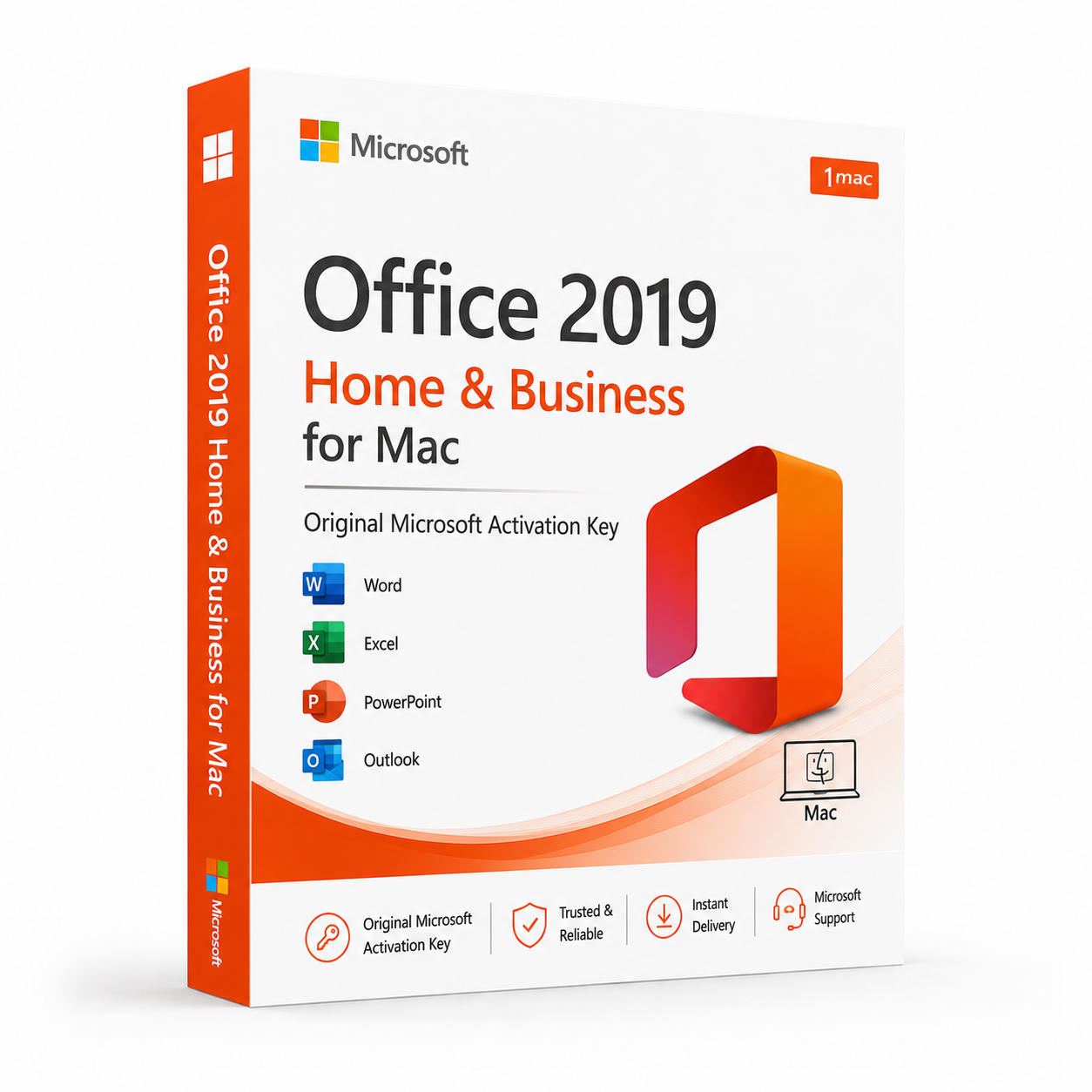
 Instant Delivery to Your Email
Microsoft Office 2019 Home & Business for Mac – Instant Product Key
If you’re a Mac user looking for a genuine, permanently licensed Office suite without committing to a monthly Microsoft 365 subscription, Office 2019 Home & Business for Mac is exactly what you need. It’s the version Microsoft built specifically for the Mac platform — not a port, not a compromised version, but a natively designed suite that integrates cleanly with macOS and delivers the full Office experience on Apple hardware. At QuickProductKey, every key we sell is sourced legitimately — no grey-market shortcuts, no recycled activations, no risk of your license being invalidated after purchase. Just a clean, verified license delivered straight to your inbox, ready to install the moment you receive it.
So, What Exactly Is Office 2019 Home & Business for Mac?
Microsoft Office 2019 Home & Business for Mac is the mid-tier perpetual license edition of Office 2019, designed specifically for macOS. It includes the five core Office applications that cover the full range of professional productivity needs — Word, Excel, PowerPoint, Outlook, and OneNote — along with commercial use rights that make it suitable for both personal and business deployment without additional licensing requirements.
Unlike the Windows version of Office, the Mac edition doesn’t include Access or Publisher — applications that were built specifically around Windows architecture and have no native Mac equivalent in the Office suite. What the Mac edition does include is a suite of applications that have been developed with macOS in mind from the ground up, taking advantage of Mac-specific features like Retina display optimisation, Touch Bar support on compatible MacBook Pro models, full Apple Silicon compatibility through Rosetta 2, and deep integration with macOS system features.
Office 2019 Home & Business for Mac is a perpetual license — you pay once and own it permanently. No subscription renewals, no monthly billing, no risk of losing access to your software. For Mac users who want the reliability and familiarity of the full Office suite without the ongoing cost of Microsoft 365, this is the straightforward, sensible choice.
What You Actually Get With Office 2019 Home & Business for Mac
Microsoft Word 2019 for Mac – The industry-standard word processor, built natively for macOS. Improved focus mode for distraction-free writing, enhanced collaboration tools with real-time co-authoring support, better accessibility checker integration, and refined document formatting capabilities. Word 2019 on Mac handles everything from quick one-page documents to lengthy, complex reports with embedded tables, figures, and references — with the same reliability Mac users expect from native applications.
Microsoft Excel 2019 for Mac – A substantial leap forward in analytical capability compared to Excel 2016 for Mac. New functions introduced in the 2019 release — including IFS, MAXIFS, MINIFS, CONCAT, TEXTJOIN, and SWITCH — bring the Mac version significantly closer to feature parity with the Windows edition. New chart types including funnel charts and filled map charts, improved pivot table functionality, and better handling of large datasets make Excel 2019 for Mac the most capable standalone version of Excel ever released for the Apple platform.
Microsoft PowerPoint 2019 for Mac – The Morph transition — one of the most impressive presentation features Microsoft has ever developed — is fully available in PowerPoint 2019 for Mac. It automatically animates matching elements between slides to create smooth, professional-looking transitions without manual animation work. The Zoom feature enables interactive, non-linear presentations where you can jump between sections dynamically. Improved SVG and 3D model support, better 4K video export, and enhanced Retina display rendering make PowerPoint 2019 for Mac a genuinely powerful presentation tool on Apple hardware.
Microsoft Outlook 2019 for Mac – A significantly improved email and calendar experience compared to earlier Mac versions. Focused Inbox intelligently separates important messages from lower-priority emails, reducing inbox noise without manual filtering. Improved calendar management, better contact handling, enhanced search functionality, and @mention support for flagging specific people in email threads. Outlook 2019 for Mac also benefits from improved macOS integration — notifications, Spotlight search compatibility, and smoother syncing with Exchange, Office 365, iCloud, and Gmail accounts.
Microsoft OneNote 2019 for Mac – A fully-featured digital notebook that syncs seamlessly across devices and integrates with the rest of the Office suite. Improved organisation tools, better ink and Apple Pencil support for iPad users accessing shared notebooks, enhanced search across notebooks and pages, and cleaner integration with macOS make OneNote 2019 for Mac the most capable version of the application for Apple platform users. Particularly useful for researchers, students, and professionals who need to organise mixed-format notes across multiple projects.
Retina Display Optimisation – Every application in the suite has been optimised for Mac Retina displays, rendering text, graphics, and UI elements at the full resolution of your screen. On a MacBook Pro or iMac with a Retina display, the visual quality difference between Office 2019 and older versions running at non-Retina resolution is immediately apparent.
Touch Bar Support – On compatible MacBook Pro models equipped with a Touch Bar, Office 2019 applications present contextually relevant tools and shortcuts directly on the Touch Bar. Formatting options in Word, formula suggestions in Excel, slide navigation in PowerPoint — the Touch Bar integration in Office 2019 for Mac is more refined and useful than earlier versions.
Apple Silicon Compatibility – Office 2019 for Mac runs on Apple Silicon Macs through Rosetta 2 translation, ensuring compatibility with M1, M2, M3, and M4 chip MacBooks and desktops. Performance on Apple Silicon hardware through Rosetta 2 is smooth and reliable for everyday productivity workloads across all five applications.
iCloud & OneDrive Integration – Save and sync documents directly to iCloud Drive or OneDrive from within any Office application. Files are accessible across all your devices without manual transfers, and the integration with macOS’s native file management is seamless rather than feeling like a bolted-on extra.
Real-Time Co-Authoring – Collaborate on Word documents, Excel spreadsheets, and PowerPoint presentations simultaneously with colleagues, with changes appearing in real time. Co-authoring in Office 2019 for Mac works across platforms — a Mac user and a Windows user can work on the same document together without compatibility issues.
macOS System Integration – Deep integration with macOS features including Spotlight search for finding Office documents, Notification Centre for Outlook alerts, Handoff support for picking up work seamlessly between a Mac and an iPhone or iPad, and full support for macOS accessibility features including VoiceOver.
Commercial Use Rights – Unlike the Home & Student edition, Office 2019 Home & Business for Mac includes commercial use rights, making it a compliant choice for freelancers, sole traders, small businesses, and any professional using Office in a commercial context without needing enterprise volume licensing.
Lifetime Activation – Pay once, own permanently. Office 2019 Home & Business for Mac is yours indefinitely from the moment of activation — no subscription, no expiry, no ongoing cost.
Everything Included With Your Purchase
✔ One genuine Microsoft Office 2019 Home & Business for Mac license key
✔ Delivered to your email address immediately after payment is confirmed
✔ Clear, step-by-step installation and activation instructions for Mac
✔ Direct link to Microsoft’s official Office 2019 for Mac download page
✔ Lifetime activation — pay once, use permanently
✔ Single Mac license — installs on one Mac
Minimum System Requirements
| Component | What You Need |
|---|---|
| Operating System | macOS 10.13 High Sierra or later |
| Processor | Intel or Apple Silicon (via Rosetta 2) |
| RAM | 4 GB |
| Storage | 10 GB available space |
| Display | 1280 x 800 or higher |
| Internet | Required for activation |
Before purchasing, confirm your Mac is running macOS 10.13 or later. Office 2019 for Mac is not supported on older macOS versions. If you’re running a current Mac with macOS Ventura, Sonoma, or Sequoia, compatibility is fully confirmed. Apple Silicon Mac users should note that Rosetta 2 must be installed, which macOS handles automatically on first launch of an Intel application.
How Activation Works — Step by Step
- Place your order — your key arrives by email within minutes
- Head to Microsoft’s official Office portal to download the Office 2019 for Mac installer: https://quickproductkey.com/software-downloads/
- Open the downloaded package and run the installer
- Launch any Office application once installation is complete
- When prompted, sign into or create a Microsoft account
- Enter your product key when asked during activation
- Hit Activate — all five applications are ready to use immediately
Stuck at any point? Our support team is available around the clock: https://quickproductkey.com/contact/
Office 2019 for Mac Editions — Which One Is Right for You?
| Application | Home & Student | Home & Business |
|---|---|---|
| Word | ✔ | ✔ |
| Excel | ✔ | ✔ |
| PowerPoint | ✔ | ✔ |
| OneNote | ✔ | ✔ |
| Outlook | ✗ | ✔ |
| Commercial Use Rights | ✗ | ✔ |
The difference between the two Mac editions comes down to two things — Outlook and commercial use rights. If you need a professional email and calendar client integrated with the Office suite, and if you’re using Office in any kind of business or commercial context, Home & Business is the right choice. Home & Student is perfectly capable for personal and academic use, but the moment commercial work enters the picture, Home & Business is the appropriate license.
Office 2019 Home & Business for Mac vs Microsoft 365 for Mac — The Honest Comparison
Microsoft 365 for Mac delivers always-current application versions, 1 TB of OneDrive storage, and access to the latest AI and collaboration features on a recurring subscription basis. Stop paying, and you lose access to the full applications.
Office 2019 Home & Business for Mac gives you a permanently owned license with no ongoing fees and no dependency on a billing cycle to maintain access to your software. The applications receive security updates throughout their support lifecycle but don’t receive new feature updates after release.
For Mac users whose workflows are well-served by the existing Office 2019 feature set — which covers the overwhelming majority of professional productivity needs — the one-time purchase is simply more economical over any period beyond two years. The practical day-to-day difference in Word, Excel, PowerPoint, Outlook, and OneNote between Office 2019 and Microsoft 365 for most users is considerably smaller than the subscription cost difference suggests over a five-year horizon.
Who Should Choose Office 2019 Home & Business for Mac?
Mac-Based Professionals & Freelancers – Commercial use rights make this a clean, compliant choice for any professional using Office in a business context on a Mac. Full Outlook integration, real-time co-authoring, and the complete core application stack cover the full range of professional productivity needs.
Small Business Owners – A permanently owned Office license with commercial rights and no ongoing subscription cost is a straightforward, budget-friendly choice for small businesses that don’t need enterprise features or constant application updates.
Home Office Workers – For Mac users working from home who need reliable, professionally compatible Office applications for documents, spreadsheets, presentations, and email — Home & Business delivers everything required without the subscription overhead.
Students & Academics on Macs – The full Office suite natively optimised for Mac hardware, with real-time co-authoring for group projects and OneDrive integration for cross-device access. Commercial use rights also mean this license covers any freelance or part-time professional work alongside academic use.
Subscription-Averse Mac Users – If you’ve made a deliberate decision to own your software rather than rent it, Office 2019 Home & Business for Mac is the most complete perpetual license option available for the Mac platform that includes Outlook and commercial rights. Pay once, own it permanently.
Apple Silicon Mac Owners on a Budget – Office 2019 runs smoothly on M-series Macs through Rosetta 2, delivering reliable performance across all five applications without requiring a Microsoft 365 subscription. For users who want genuine Office on modern Apple hardware without ongoing costs, this is a proven, practical solution.
Why Customers Choose QuickProductKey
We’re not the cheapest option on the internet — and we don’t try to be. What we offer is reliability. Every key we sell is verified before it goes out. If for any reason activation fails, you get a full refund. No arguing, no runaround.
✔ Keys are genuine — not cracked, not reused
✔ Email delivery in minutes, not hours
✔ One-time payment, lifetime activation
✔ Money-back guarantee if it doesn’t work
✔ 24/7 support from people who actually know the product
✔ Secure checkout via PayPal, Visa, and Stripe
Full refund policy here: https://quickproductkey.com/refund-and-returns-policy/
This is a digital product. Nothing will be posted to you. Your license key is delivered by email as soon as your payment is confirmed.
Be the first to review “Microsoft Office 2019 Home & Business for Mac – Instant Product Key”
You must be logged in to post a review.
Related products




Reviews
There are no reviews yet.