
 Microsoft Office 2016 Home & Student – Original Activation Key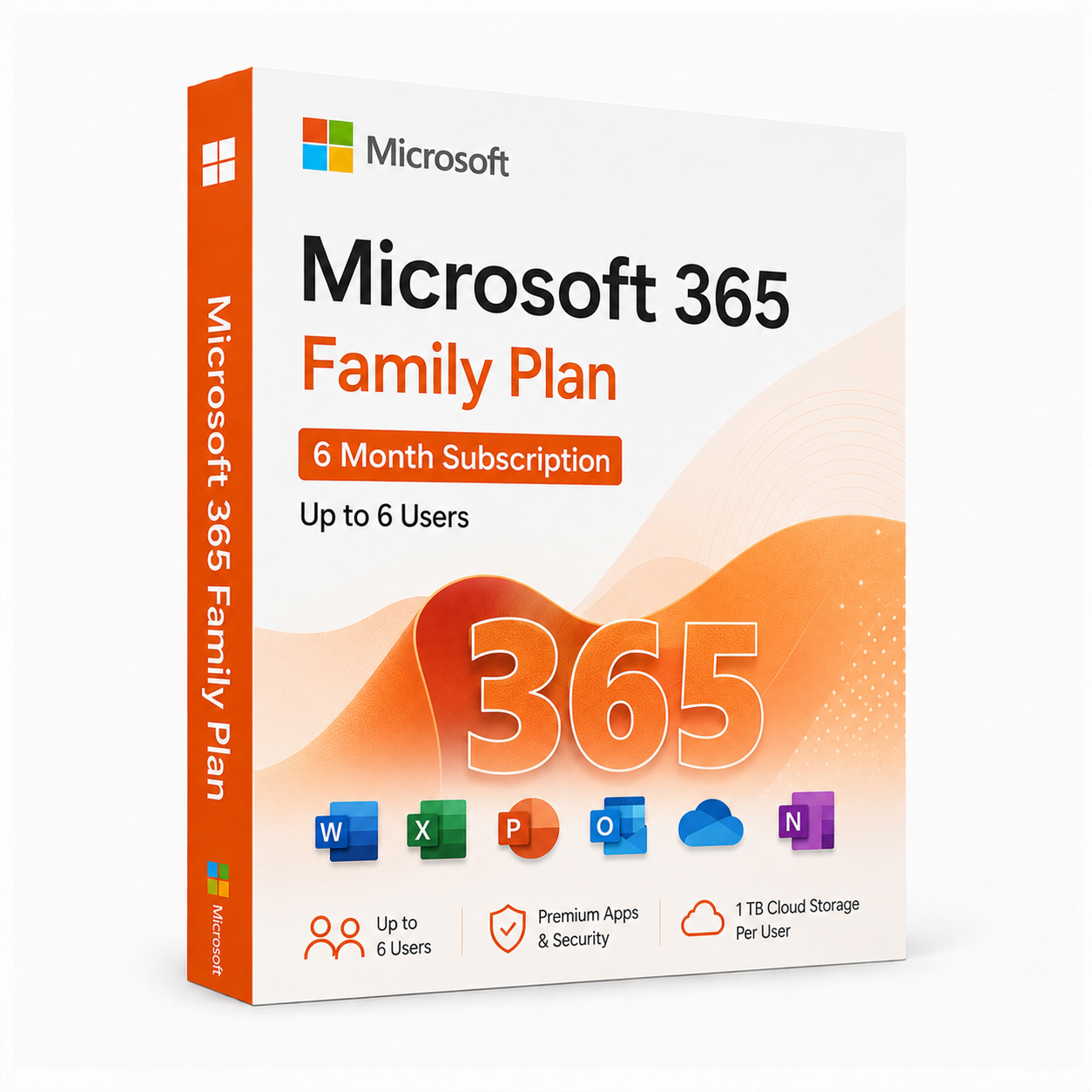


 Instant Delivery to Your Email
Microsoft 365 Family Plan – 6 Month Subscription | Up to 6 Users
Need a single Office subscription that covers your whole household instead of buying separate licences for everyone? Microsoft 365 Family gives you the complete Office app lineup for up to 6 people, each with their own private storage and account, for a flexible 6-month term. At QuickProductKey, every key is sourced legitimately — no grey-market tricks, no recycled activations. Just a clean, working subscription delivered straight to your inbox.
So, What Makes Microsoft 365 Family Worth It?
Microsoft 365 Family is built for exactly the situation most households face — multiple people, multiple devices, and everyone needing access to Word, Excel, and PowerPoint at different times. Instead of buying individual licences for each family member, one subscription covers up to 6 people, and each person gets their own separate sign-in, their own 1 TB of OneDrive storage, and their own private app settings.
This 6-month plan is ideal if you want the flexibility of Microsoft 365 without committing to a full year upfront — perfect for a school term, a project-based need, or simply trying the family plan before deciding to renew annually. Each member installs the apps on their own devices using their own Microsoft account, so there’s no sharing logins or juggling one set of documents between everyone.
It also includes Microsoft’s AI-powered Copilot features in select apps, continuous updates as Microsoft releases them, and the same security and ransomware protection built into OneDrive that comes with the Personal plan — just scaled up for the whole family.
What You Actually Get With Microsoft 365 Family
- Microsoft Word – Full-featured word processor with real-time co-authoring, available to all 6 members
- Microsoft Excel – Advanced spreadsheet tools with the latest functions and AI-assisted data analysis
- Microsoft PowerPoint – Build presentations with continuously updated design tools and templates
- Microsoft Outlook – Ad-free email and calendar management, individually synced for each member
- Microsoft OneNote – Cloud-synced digital notebook accessible from any signed-in device
- 1 TB of OneDrive Storage Per Person – Up to 6 TB combined, with each member’s files kept completely private
- Up to 6 Individual Accounts – Each family member signs in separately with their own Microsoft account
- Multi-Device Access – Every member can use the apps across their own PC, Mac, tablet, and phone
- Continuous Updates – Always the latest features and security patches, automatically applied
- Microsoft Copilot Integration – AI-assisted writing, data analysis, and design tools across the apps
- Advanced Security – Built-in ransomware detection and recovery for every member’s OneDrive
Everything Included With Your Purchase
- ✔ One genuine Microsoft 365 Family subscription key, valid for 6 months
- ✔ Covers up to 6 separate users, each with their own account and storage
- ✔ Delivered to your email address immediately after payment
- ✔ Clear, step-by-step activation and invite instructions included
- ✔ Direct link to Microsoft’s official Microsoft 365 setup page
- ✔ Each member gets 1 TB of OneDrive cloud storage for the duration of the subscription
Minimum System Requirements (Per User)
| Component | What You Need |
|---|---|
| Operating System | Windows 10/11 or macOS Big Sur and later |
| Processor | 1.1 GHz or faster, 2-core |
| RAM | 4 GB |
| Storage | 4 GB free space |
| Internet | Required for activation, updates, and cloud features |
| Microsoft Account | Required for each member to activate and manage their access |
How Activation Works — Step by Step
- Place your order — your subscription key arrives by email within minutes
- Go to Microsoft’s official redemption page: Redeem Your Subscription
- Sign in with your Microsoft account (or create a free one) to redeem the key as the plan owner
- From your Microsoft 365 account, send invites to up to 5 additional family members
- Each invited member signs in with their own Microsoft account to accept and activate their access
- Everyone installs the apps on their own devices — that’s it, the whole family is set for 6 months
Stuck at any point? Reach out to our support team and we’ll walk you through it: Contact Support
Microsoft 365 Family vs Personal — Quick Honest Comparison
| Feature | Personal (1 User) | Family (Up to 6 Users) |
|---|---|---|
| Number of Users | 1 | Up to 6 |
| OneDrive Storage | 1 TB | 1 TB per person (up to 6 TB) |
| Individual Accounts | ✔ | ✔ (each member separate) |
| Office Apps Included | ✔ | ✔ |
| Copilot Integration | ✔ | ✔ |
| Best For | One person, multiple devices | Households, multiple people |
If you’re the only one who needs access, the Personal plan is more cost-effective: Microsoft 365 Personal But if you’re sharing across a household, partner, or several family members, the Family plan covers everyone for a fraction of the cost of separate subscriptions.
Who Should Get Microsoft 365 Family?
This plan is a strong fit for a specific kind of household:
- Families with multiple Office users — parents, kids, or both — who each need their own private space
- Households juggling schoolwork and remote work across several devices at once
- Anyone wanting to try Microsoft 365 before committing to a full annual plan
- Groups of up to 6 people — including extended family or close friends — splitting one subscription
- Users who value 1 TB of private cloud storage per person without paying for separate accounts
If your household needs a full year instead of 6 months, we also offer annual family plans: Browse All Microsoft 365 Plans
Why Customers Choose QuickProductKey
We’re not the cheapest option on the internet — and we don’t try to be. What we offer is reliability. Every key we sell is verified before it goes out. If for any reason activation fails, you get a full refund. No arguing, no runaround.
- ✔ Keys are genuine — not cracked, not reused
- ✔ Email delivery in minutes, not hours
- ✔ Secure, verified subscription activation
- ✔ Money-back guarantee if it doesn’t work
- ✔ 24/7 support from people who actually know the product
- ✔ Secure checkout via PayPal, Visa, and Stripe
Full refund policy here: Refund & Returns Policy
This is a digital product. Nothing will be posted to you. Your subscription key is delivered by email as soon as your payment is confirmed.
Be the first to review “Microsoft 365 Family Plan – 6 Month Subscription | Up to 6 Users”
You must be logged in to post a review.
Related products



Reviews
There are no reviews yet.