
-
×
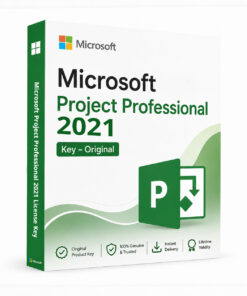 Microsoft Project Professional 2021 License Key
1 × $39.99
Microsoft Project Professional 2021 License Key
1 × $39.99


 Instant Delivery to Your Email
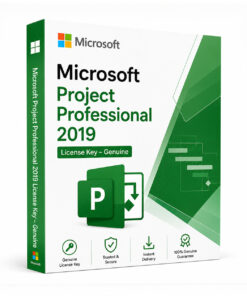
Microsoft Project Standard 2019 Key – 100% Genuine
Managing projects with spreadsheets and sticky notes only takes you so far. Microsoft Project Standard 2019 gives you a dedicated, purpose-built project management application — with scheduling, resource tracking, and reporting tools that handle the complexity for you — in a one-time purchase that’s yours permanently. At QuickProductKey, every key is sourced legitimately — no grey-market tricks, no recycled activations. Just a clean, working license delivered straight to your inbox.
So, What Makes Microsoft Project Standard 2019 Worth It?
Project Standard 2019 is Microsoft’s entry-level dedicated project management application, built for individuals and small teams who need more structure and control than a spreadsheet can provide. It handles task scheduling, resource assignment, dependency tracking, and progress monitoring in one connected system — giving you a clear, accurate picture of where your project stands at any given point.
The 2019 release brought meaningful improvements over the 2016 edition — a cleaner interface, better task linking tools, improved resource management controls, and full compatibility with Windows 10 and Windows 11. If you’ve been managing projects manually and finding that timelines slip, resources get overcommitted, or tasks fall through the cracks, Project Standard 2019 addresses exactly those problems.
Standard edition is the right fit for individual project managers who don’t need to connect to Project Server or Project Online for team-based collaboration. It’s a standalone, locally installed application that gives you the full scheduling and tracking toolkit without the overhead or cost of the Professional or subscription-based editions.
What You Actually Get With Microsoft Project Standard 2019
- Gantt Chart Scheduling – Visualise tasks, durations, and dependencies on a clear, interactive timeline
- Task and Dependency Management – Link tasks with finish-to-start, start-to-start, or other dependency types
- Resource Management – Assign people and equipment to tasks and track workload at a glance
- Critical Path Analysis – Instantly identify which tasks directly impact your project’s finish date
- Budget and Cost Tracking – Monitor planned versus actual costs throughout the project lifecycle
- Multiple Project Views – Switch between Gantt charts, task sheets, resource sheets, and calendars
- Built-In Reporting Tools – Generate visual status reports and dashboards without building charts manually
- Baseline Comparison – Track how your project’s actual progress compares to the original plan
- Timeline View – Create a clear, shareable summary view of your project’s key milestones
- Improved Interface – Cleaner, more intuitive layout compared to older Project versions
Everything Included With Your Purchase
- ✔ One genuine Microsoft Project Standard 2019 license key
- ✔ Delivered to your email address immediately after payment
- ✔ Clear, step-by-step activation instructions included
- ✔ Direct link to Microsoft’s official Project download page
- ✔ Lifetime activation — pay once, use indefinitely
- ✔ Compatible with Windows 10 and Windows 11
Minimum System Requirements
| Component | What You Need |
|---|---|
| Operating System | Windows 10 or Windows 11 |
| Processor | 1.6 GHz or faster, 2-core |
| RAM | 4 GB |
| Storage | 4 GB free space |
| Display | 1280 x 768 or higher |
| Internet | Needed for activation |
How Activation Works — Step by Step
- Place your order — your key arrives by email within minutes
- Download the Project 2019 installer from our software downloads page: Download Here
- Run the installer and follow the on-screen prompts
- Sign in with your Microsoft account when prompted (or create a free one)
- Enter your product key when asked during setup
- Hit Activate — Project is now fully licensed and ready to use
Stuck at any point? Reach out to our support team and we’ll walk you through it: Contact Support
Project Standard vs Professional 2019 — Quick Honest Comparison
| Feature | Standard | Professional |
|---|---|---|
| Gantt Chart Scheduling | ✔ | ✔ |
| Resource Management | ✔ | ✔ |
| Critical Path Analysis | ✔ | ✔ |
| Project Server/Online Connectivity | ✗ | ✔ |
| Team Collaboration Tools | Limited | ✔ |
| Multi-Project Resource Sharing | ✗ | ✔ |
| One-Time Purchase | ✔ | ✔ |
If you’re managing projects individually and don’t need to connect to Project Server or Project Online, Standard edition covers all the scheduling and tracking tools you need at a lower price. But if you’re collaborating with a team or managing multiple projects with shared resources, Professional is the better fit: Browse All Microsoft Project Licenses
Who Should Get Microsoft Project Standard 2019?
This edition is the right pick for a clear group of users:
- Individual project managers who need dedicated scheduling and tracking tools without team collaboration features
- Small business owners planning and monitoring projects on their own PC
- Freelancers and consultants managing client projects independently
- Students and graduates learning project management with industry-standard software
- Anyone upgrading from Project 2016 or older versions who wants improved performance and interface
- Professionals who prefer a one-time purchase over the ongoing cost of Project subscription plans
If you need the very latest features, we also carry the 2021 and subscription-based Project Online editions: Browse All Microsoft Project Licenses
Why Customers Choose QuickProductKey
We’re not the cheapest option on the internet — and we don’t try to be. What we offer is reliability. Every key we sell is verified before it goes out. If for any reason activation fails, you get a full refund. No arguing, no runaround.
- ✔ Keys are genuine — not cracked, not reused
- ✔ Email delivery in minutes, not hours
- ✔ One-time payment, lifetime activation
- ✔ Money-back guarantee if it doesn’t work
- ✔ 24/7 support from people who actually know the product
- ✔ Secure checkout via PayPal, Visa, and Stripe
Full refund policy here: Refund & Returns Policy
This is a digital product. Nothing will be posted to you. Your license key is delivered by email as soon as your payment is confirmed.
Be the first to review “Microsoft Project Standard 2019 Key – 100% Genuine”
You must be logged in to post a review.



Reviews
There are no reviews yet.