

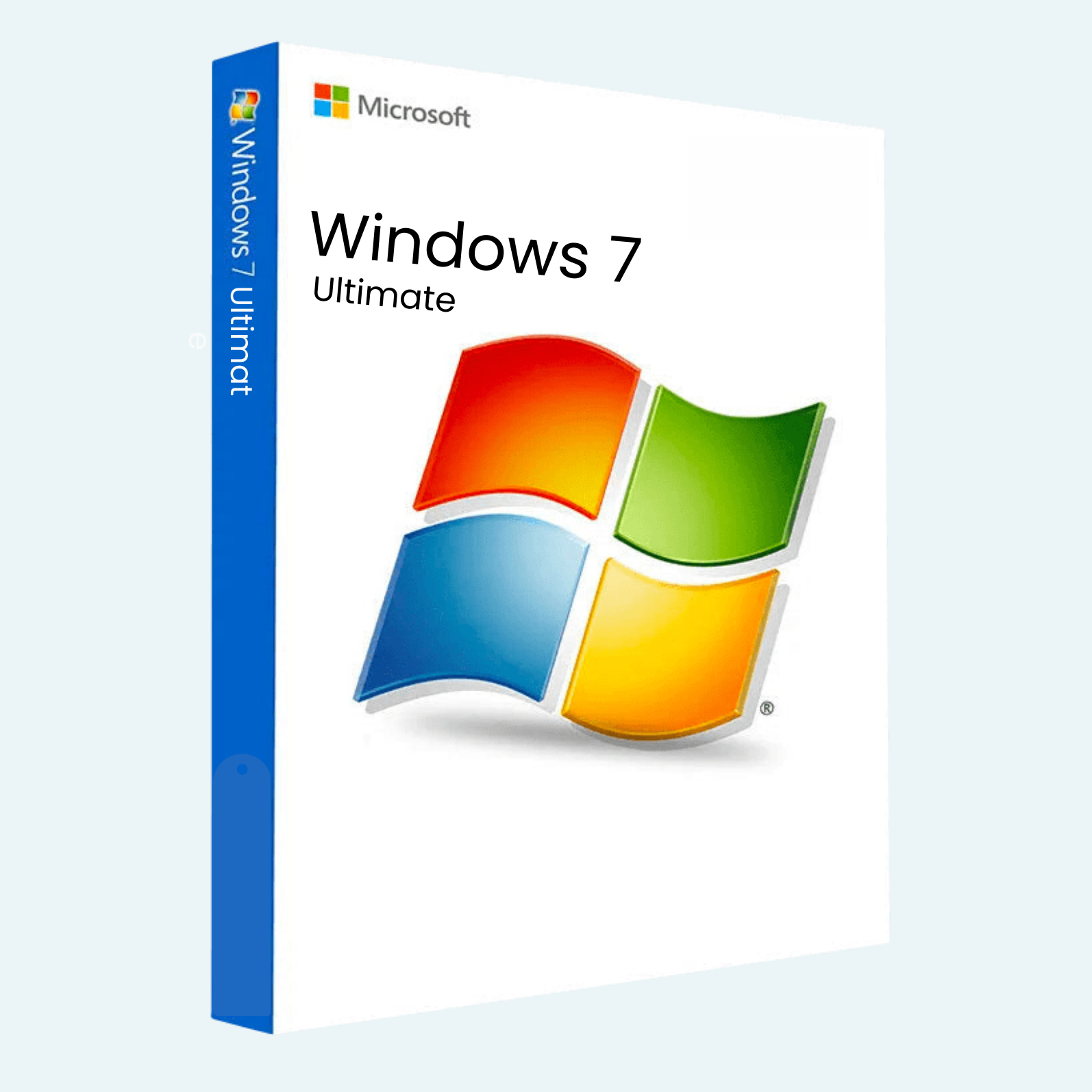
Elevate your computing experience with the Windows 7 Ultimate Original License Key – the pinnacle of Microsoft’s acclaimed operating system, designed for power users, professionals, and enthusiasts who demand unparalleled performance, security, and versatility. Released in 2009, Windows 7 Ultimate remains a timeless choice for stable, reliable operation on legacy hardware, supporting advanced features like multi-language packs, BitLocker encryption, and enterprise-grade networking. This is a genuine, original license key, ensuring full compliance and activation without the hassles of unofficial sources. Perfect for reviving older PCs, running specialized software, or maintaining a customized setup that feels refreshingly straightforward.
Key Features
- Ultimate Flexibility: Supports up to 192 GB of RAM and 6 TB per hard drive, ideal for resource-intensive tasks like video editing, 3D rendering, or virtualization.
- Enhanced Security: Built-in BitLocker full-disk encryption protects sensitive data, while Windows Firewall and Action Center provide robust defense against threats.
- Global Reach: Easily switch between 35+ languages with integrated language packs for seamless multilingual use.
- Seamless Networking: Domain Join for enterprise integration, DirectAccess for remote connectivity, and BranchCache for optimized file sharing in distributed environments.
- Aero Interface: Stunning visual effects, live thumbnails, and Snap for effortless multitasking on compatible hardware.
- Media Center Integration: Transform your PC into a home entertainment hub with support for TV tuning, DVD playback, and extensible media libraries.
- Backward Compatibility: Runs legacy applications smoothly, making it a go-to for industries reliant on older software stacks.
System Requirements
To ensure optimal performance, your hardware should meet or exceed these specifications:
- Processor: 1 GHz 32-bit (x86) or 64-bit (x64) processor
- RAM: 1 GB (32-bit) or 2 GB (64-bit)
- Hard Disk Space: 16 GB (32-bit) or 20 GB (64-bit) available space
- Graphics Card: DirectX 9 graphics device with WDDM 1.0 or higher driver
- Other: DVD drive (for installation media), internet access for activation, and a compatible display (1024 x 768 resolution or higher)
Note: Windows 7 Ultimate is no longer supported by Microsoft (end of mainstream support in 2015, extended in 2020), so we recommend using it in non-critical environments or with third-party security updates for continued safety.
Download, Install, and Activation Guide
Getting started is quick and straightforward. This product provides a digital license key only – you’ll need to source your Windows 7 Ultimate ISO installation media from a trusted archive (e.g., Microsoft’s official download mirrors if available, or a verified backup). Here’s a step-by-step process:
- Download Installation Media:
- Visit a legitimate source like the Microsoft Volume Licensing Service Center (if eligible) or download the official ISO from archived Microsoft sites.
- Save the ISO file to your computer (approximately 2.5–3.5 GB).
- Install Windows 7 Ultimate:
- Create bootable media: Use tools like Rufus or the Windows USB/DVD Download Tool to burn the ISO to a USB drive or DVD.
- Boot from the media: Restart your PC, enter BIOS/UEFI settings (usually F2, Del, or Esc), and set the USB/DVD as the first boot device.
- Follow the on-screen installer: Select your language, enter the product key when prompted (or skip for now), choose “Custom” installation, and complete the setup. The process takes 20–60 minutes depending on hardware.
- File > Account > Activate Product:
- Once installed, boot into Windows and connect to the internet.
- Open File menu? Wait, that’s not quite right for Windows 7 – instead, go to Start > Control Panel > System and Security > System.
- In the “Activate Windows” section at the bottom, click Activate.
- Select “Enter Product Key” and input your original license key (provided as a 25-character code, e.g., XXXXX-XXXXX-XXXXX-XXXXX-XXXXX).
- Follow the prompts to verify online. Activation is instant for genuine keys; if issues arise, use the automated phone system via the troubleshooter.
- For advanced users: Run slmgr /ato in an elevated Command Prompt to force activation.
Congratulations – you’re now running a fully activated Windows 7 Ultimate! If you encounter any hurdles, our support team is here to assist. Unlock the full potential of your PC today with this authentic license key.
Be the first to review “Windows 7 Ultimate | Original License Key”
Related products
Microsoft Windows
Microsoft Windows
Microsoft Windows
Microsoft Windows
Microsoft Windows
Microsoft Windows
Microsoft Windows
Microsoft Windows 11 Professional 32/64 Bit License Key – 1PC Lifetime
Microsoft Windows
Reviews
There are no reviews yet.