

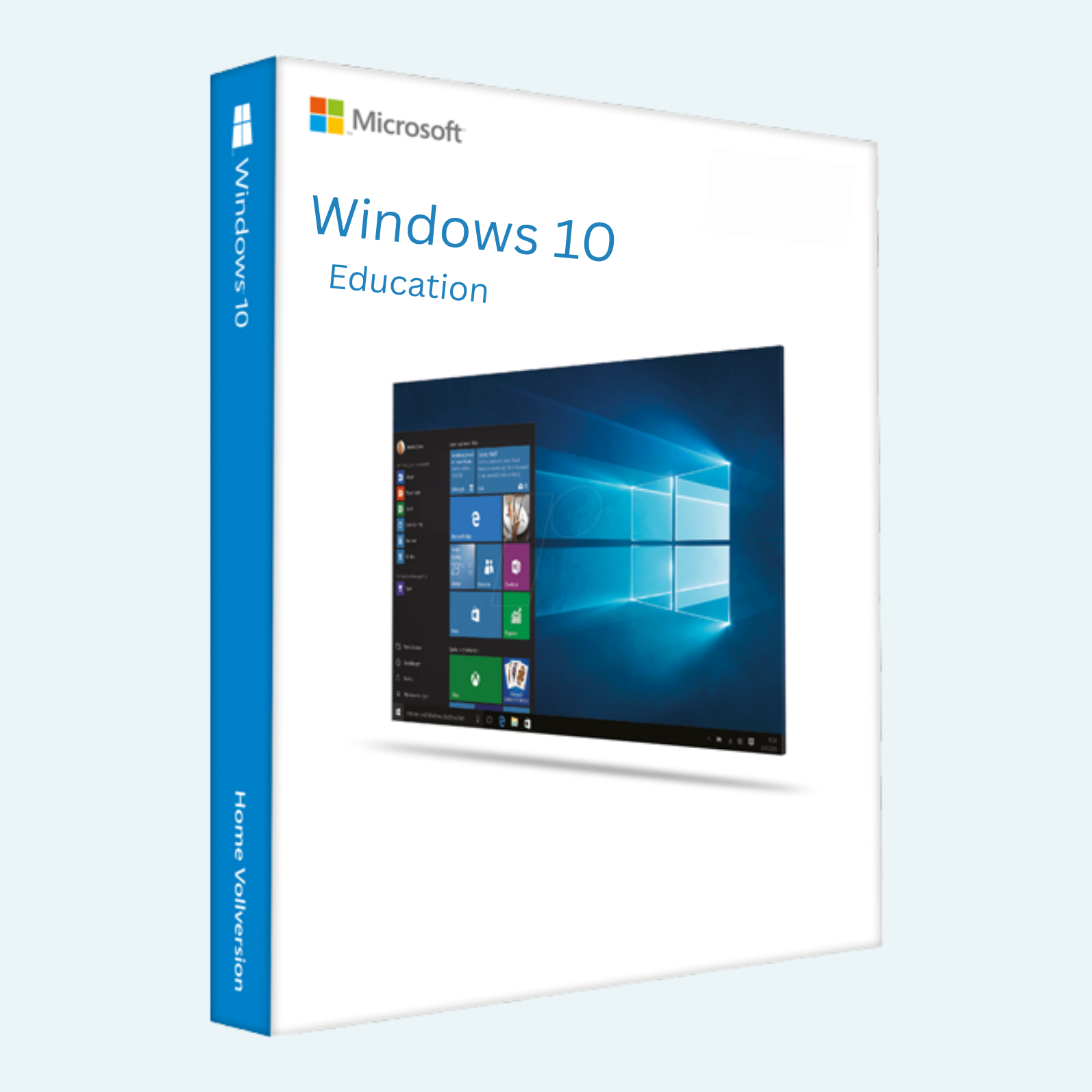
Empower Learning and Innovation with Windows 10 Education
Designed specifically for educational institutions, educators, and students, the Windows 10 Education 1-PC Product Key provides a robust, secure, and feature-rich operating system tailored to modern learning environments. This genuine Microsoft product key activates Windows 10 Education on a single PC, unlocking advanced tools for collaboration, productivity, and creativity. Ideal for classrooms, labs, or personal study setups, it ensures seamless integration with Microsoft 365 and other educational apps, helping users focus on what matters most—knowledge and growth.
Whether you’re setting up a school workstation or enhancing your home learning rig, this key delivers enterprise-grade security, customizable Start menus, and Continuum support for hybrid device use, all while maintaining compliance with educational data privacy standards.
Key Features
- Enhanced Security and Management: Built-in Windows Defender antivirus, BitLocker encryption, and Group Policy support for IT admins to manage devices efficiently in school networks.
- Educational Tools Integration: Native support for Microsoft Teams, OneNote, and Office apps, plus features like Windows Ink for digital note-taking and mixed-reality readiness for immersive learning experiences.
- Performance and Customization: Cortana for voice-assisted productivity, multiple desktops for multitasking, and timeline for resuming work across devices—optimized for low-resource hardware common in educational settings.
- Universal Apps and Updates: Access to the Microsoft Store for educational apps, with automatic feature updates to keep your system current without disrupting workflows.
- Single-PC Activation: Permanent license for one dedicated device, ensuring reliable access without recurring fees.
System Requirements
To ensure smooth performance and compatibility, your PC should meet these minimum specifications:
- Processor: 1 GHz or faster processor or SoC
- RAM: 2 GB for 64-bit or 1 GB for 32-bit
- Hard Disk Space: 20 GB available
- Graphics Card: DirectX 9 or later with WDDM 1.0 driver
- Display: 800 x 600 resolution
- Internet Connection: Required for download, activation, and certain features (e.g., Microsoft Store access)
- Additional Notes: Compatible with UEFI firmware (with Secure Boot capability recommended); TPM 2.0 for advanced security features. This key is for new installations or upgrades on eligible hardware—check Microsoft’s activation troubleshooter if issues arise.
Download, Install, and Activation Guide
Getting started is straightforward. Follow these steps to download, install, and activate your Windows 10 Education edition:
- Download Windows 10:
- Visit the official Microsoft website.

- Select “Windows 10” and choose the “Education” edition (you may need to create a Microsoft account if prompted).
- Download the ISO file or use the Media Creation Tool to create installation media (USB or DVD). Save the file to your PC or external drive.
- Visit the official Microsoft website.
- Install Windows 10:
- Insert your installation media (USB/DVD) or mount the ISO file.
- Restart your PC and enter BIOS/UEFI settings (usually by pressing F2, F10, or Del during boot) to set the media as the primary boot device.
- Follow the on-screen setup wizard: Select language, time, and keyboard preferences, then choose “Install Now.”
- Enter your product key when prompted (or skip and activate later). Proceed through partitioning, installation, and initial setup (create user account, connect to Wi-Fi).
- The process typically takes 20-60 minutes, depending on hardware.
- File > Account > Activate Product:
- Once installed, open Settings (gear icon in Start menu) > Update & Security > Activation.
- Under “Activation,” click Change product key (if not already entered).
- Input your unique 25-character product key (format: XXXXX-XXXXX-XXXXX-XXXXX-XXXXX) provided upon purchase.
- Click Next to verify and activate online (internet required). If offline, select “Troubleshoot” for phone activation.
- For file-based management: If using a configuration file (e.g., unattend.xml for bulk installs), edit via Notepad under File > Open, then reference the key in the <ProductKey> tag during setup.
- Confirmation: You’ll see “Windows is activated with a digital license” once successful. Restart if prompted.
Support and Tips: If activation fails, ensure your PC meets requirements and isn’t already licensed under a different edition. Contact Microsoft Support via support.microsoft.com/windows or redeem your key through your purchase account. This product key is non-transferable and valid for one PC only—back up your data before installing.
Unlock the full potential of education today with Windows 10 Education. Purchase now and transform your learning experience!
Be the first to review “Windows 10 Education 1-PC Product Key”
Related products
Microsoft Windows
Microsoft Windows 10 Professional 32/64 Bit License Key – 1PC Lifetime
Microsoft Windows
Microsoft Windows
Microsoft Windows
Microsoft Windows
Microsoft Windows
Microsoft Windows
Reviews
There are no reviews yet.