

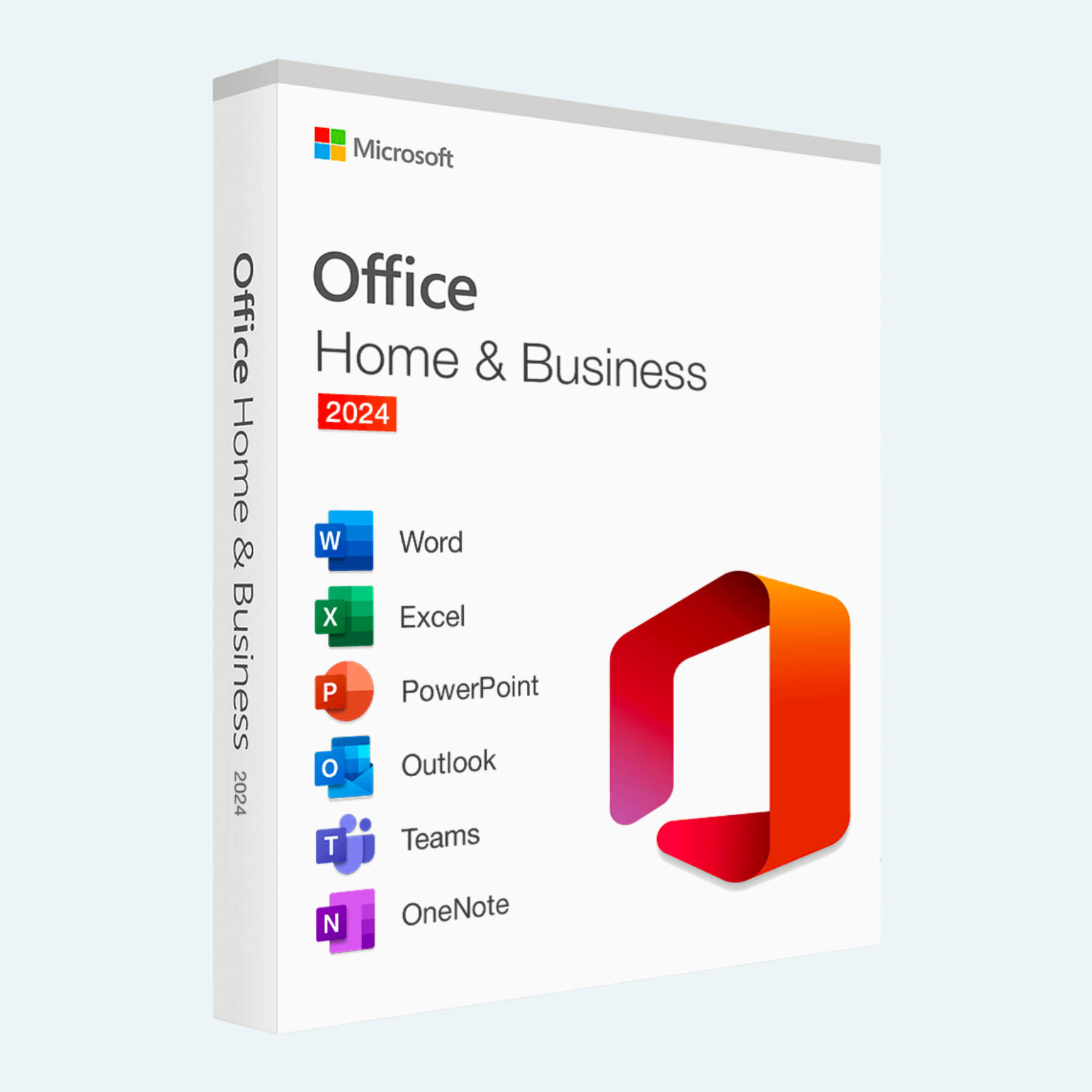
Elevate your productivity with Microsoft Office Home & Business 2024, the latest one-time purchase edition designed for families, students, and small businesses. This perpetual license delivers the classic desktop versions of your essential Office apps—without recurring subscriptions or cloud dependencies. Create stunning documents, crunch numbers with precision, deliver impactful presentations, manage your inbox efficiently, and capture ideas seamlessly. Perfect for home, school, or work, it’s installed on a single PC or Mac and includes commercial use rights for business needs. Pay once and own it forever, with free security updates to keep your software secure.
Key Features
- Classic 2024 Desktop Apps: Includes the latest versions of Word (advanced writing tools with improved readability and design suggestions), Excel (enhanced data analysis with dynamic arrays, IMAGE function, and faster calculations), PowerPoint (modern templates, 3D visuals, and collaboration-ready slides), Outlook (quicker search, focused inbox, and cloud integration), and OneNote (rich note-taking with handwriting support).
- One-Time Purchase, Lifetime Access: No subscriptions—install on 1 PC or Mac for personal or commercial use, with the ability to transfer to a new device if needed (e.g., hardware failure).
- Time-Saving Tools: Built-in collaboration features like real-time co-authoring (when online), accessibility checker, and modern dark mode for reduced eye strain.
- Seamless Integration: Works offline for core tasks; optional Microsoft Teams compatibility for meetings and file sharing. Internet required only for initial setup and updates.
- Support Resources: Access Microsoft’s help center, troubleshooting guides, and community forums—no premium support included, but reliable for everyday use.
System Requirements
To ensure smooth performance, your device must meet these minimum specs:
| Component | Windows PC | Mac |
| Operating System | Windows 11 or Windows 10 (64-bit) | macOS Sequoia (15), Sonoma (14), or Ventura (13) |
| Processor | 1.6 GHz, 2-core or greater | Intel processor or Apple silicon (M1/M2/M3 or later) |
| RAM | 4 GB (64-bit recommended) | 4 GB (8 GB recommended) |
| Hard Disk Space | 4 GB available | 10 GB available |
| Display | 1280 x 768 screen resolution | 1280 x 768 screen resolution |
| Graphics | DirectX 9 or later with WDDM 2.0 or higher | Metal-capable graphics |
| Other | Internet connection for download/activation; Microsoft account required | Internet connection for download/activation; Microsoft account required |
*Note: Not compatible with Windows 8.1 or earlier, or iPad/tablets. 32-bit systems are supported on Windows but not recommended. Check full details on Microsoft’s system requirements page for peripherals like webcams or printers.
Download, Install, and File > Account > Activate Product
Getting started is straightforward—requires an internet connection and a Microsoft account (free to create at account.microsoft.com). Your purchase includes a 25-character product key delivered via email. Uninstall any prior Office versions to avoid conflicts. Here’s the step-by-step guide:
- Download:
- Go to setup.office.com (or your retailer’s provided link).
- Sign in with your Microsoft account (or create one).
- Enter your product key when prompted to redeem it—this links the license to your account permanently.
- Select “Office Home & Business 2024” from your services, choose your language and version (PC or Mac, 64-bit preferred), then click Install.
- The installer (Setup.exe for PC or .pkg for Mac) downloads automatically (~4 GB for PC, ~10 GB for Mac).
- Install:
- On Windows PC: Double-click the downloaded Setup.exe file. Follow the on-screen prompts—it auto-downloads files and installs in 10-30 minutes. Restart if prompted.
- On Mac: Open the .pkg file, follow the installer wizard, and grant permissions. Installation takes 15-45 minutes; restart your Mac afterward.
- Apps will appear in your Start menu (PC) or Applications folder (Mac). Launch any app (e.g., Word) to verify.
- File > Account > Activate Product:
- Open any Office app (e.g., Excel).
- Click File in the top-left menu.
- Select Account (or Help > Activate Product on some versions).
- If not auto-activated, click Activate Product or Sign in. Enter your Microsoft account credentials tied to the key.
- Follow prompts to complete activation—it verifies online and unlocks full features. If issues arise, use the “Product Key” option under Account to re-enter your key.
- Success: You’ll see “Product Activated” under your account info. No further internet needed for use, but connect for updates via File > Account > Update Options.
If activation fails (e.g., key error), check your internet, ensure one device only, or visit support.microsoft.com for troubleshooting. Your license supports reinstallation on the same/new device via the same Microsoft account. Enjoy unrestricted access immediately!
Be the first to review “Office Home & Business 2024 One-Time Purchase for (PC or Mac)”
Related products
Microsoft Office
Microsoft Office For MAC
Microsoft Office 2021 Home & Business for Mac – Genuine License Key
Microsoft Office
Microsoft Office
Microsoft Office
Microsoft Office
Microsoft Office 2021 Professional Plus – Lifetime License Key for Windows (1 PC BIND)
Reviews
There are no reviews yet.