

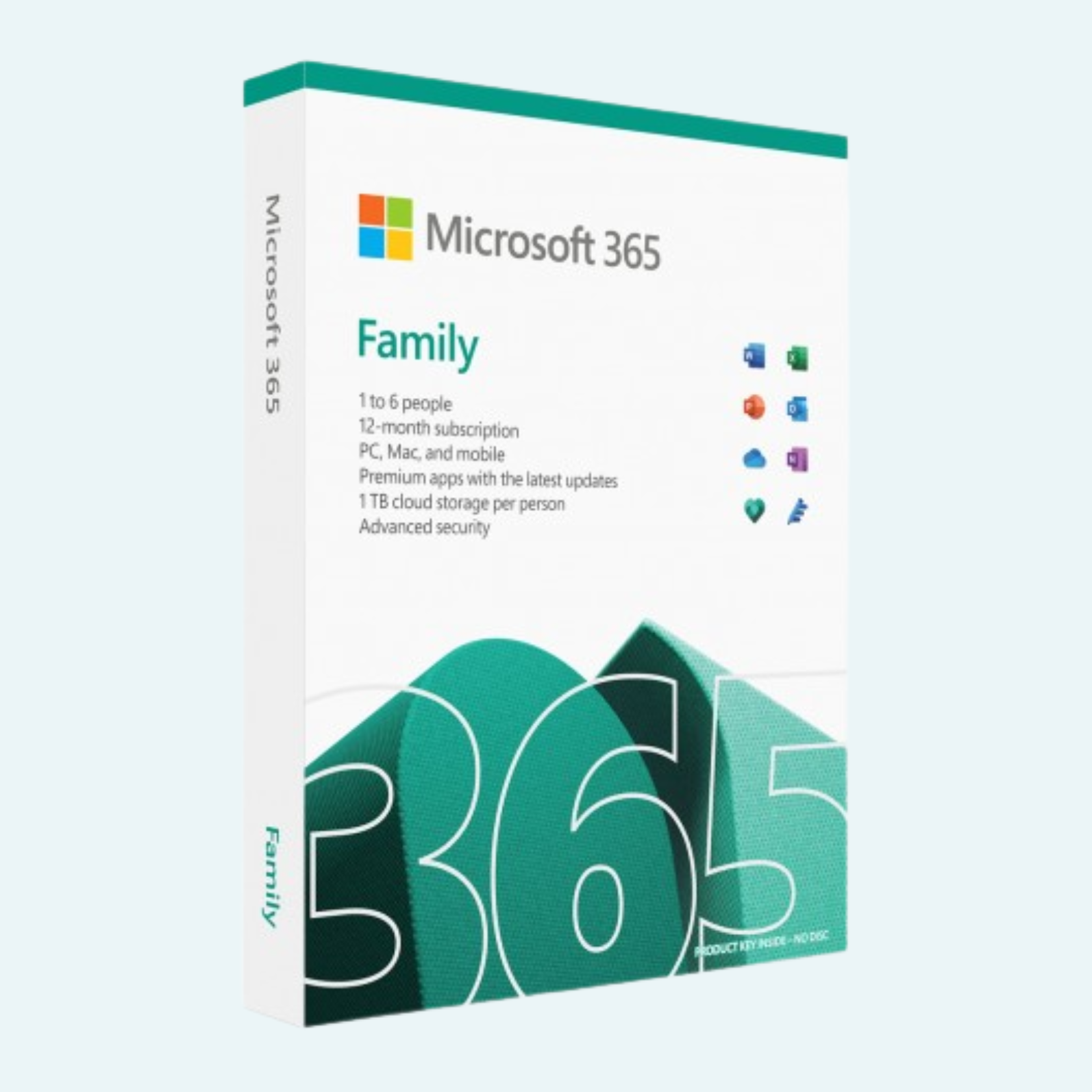
Elevate your family’s productivity and creativity with Microsoft 365 Family, the ultimate annual subscription designed for households. This plan empowers up to 5 users (plus the primary account holder, for a total of 6) with premium access to essential apps like Word, Excel, PowerPoint, Outlook, and OneNote. Each user receives a generous 1 TB of secure OneDrive cloud storage—totaling up to 6 TB across the family—for seamless file sharing, backups, and collaboration from any device. Enjoy AI-powered features with Microsoft Copilot to streamline tasks, advanced security to protect your data, and ongoing updates to keep everything running smoothly. Perfect for students, professionals, and creators who need reliable tools on the go.
Download, Install, and File > Account > Activate Product
Getting started is quick and straightforward. Follow these steps to download, install, and activate your subscription:
- Download the Installer:
- Visit www.office.com or setup.office.com.
- Sign in with your Microsoft account (the one linked to your subscription). If you don’t have one, create it during the process.
- If you have a 25-character product key from your purchase, enter it on the setup page to redeem and associate it with your account.
- Click Install apps > Microsoft 365 apps to download the installer file (it’s a small .exe or .pkg file, depending on your device).
- Install the Apps:
- Open the downloaded file from your browser or Downloads folder.
- Allow the installer to make changes to your device (click Yes if prompted by User Account Control).
- Follow the on-screen prompts to complete the installation—it typically takes 5-15 minutes. The apps will appear in your Start menu (Windows), Applications folder (Mac), or app drawer (mobile).
- File > Account > Activate Product:
- Launch any installed app, such as Word or Excel.
- Go to File (top-left menu) > Account (or Help > Activate Product on some versions).
- Sign in with the same Microsoft account used for the subscription.
- Accept the license agreement. Your subscription activates automatically, and you’ll see a confirmation message (e.g., “Product Activated”).
- For family sharing: The primary user can invite others via the Microsoft account dashboard (under Services & subscriptions > Share). Invitees accept via email or link, sign in, and follow the same install/activate steps.
Tip: You can install on up to 5 devices per user simultaneously (PC, Mac, tablet, or phone). If issues arise, restart the app or check your internet connection—activation requires an online link.
Key Features
Microsoft 365 Family packs powerful tools for work, school, and home. Here’s what you get:
- Premium Apps Across Devices: Desktop, web, and mobile versions of Word (document creation), Excel (data analysis), PowerPoint (presentations), Outlook (email and calendar), OneNote (note-taking), and Publisher (design). Plus, Microsoft Editor for grammar and style suggestions.
- 1 TB OneDrive per User: Secure cloud storage for up to 6 TB total. Automatically back up photos, videos, and files; access offline; and share securely with family. Features ransomware detection and Personal Vault for extra protection.
- AI-Powered Copilot: Built-in assistance in apps to summarize documents, generate ideas, automate emails, and more—saving time on everyday tasks.
- Advanced Security: Real-time threat monitoring with Microsoft Defender, two-step verification, and data encryption. Keep your family safe from phishing and malware.
- Family Sharing & Collaboration: Invite up to 5 additional users, each with private storage and app access. Real-time co-editing in documents, plus 60 minutes of monthly Skype calls.
- Ongoing Updates & Support: Monthly feature enhancements, 24/7 technical support, and ad-free Outlook experience. Works on PC, Mac, iOS, Android, and web browsers.
Stay connected and organized, no matter where life takes you.
Requirements
To ensure smooth performance, your devices should meet these minimum specs. Internet access is required for download, activation, and cloud features (OneDrive sync works offline once set up).
| Device Type | Operating System | Processor | RAM | Disk Space | Display | Other |
| Windows PC | Windows 11 or Windows 10 (version 1809 or later) | 1.6 GHz, 2-core (or greater) | 4 GB (64-bit) or 2 GB (32-bit) | 4 GB available | 1280 x 768 screen resolution | DirectX 9 or later with WDDM 2.0 or higher for graphics |
| Mac | macOS (latest three versions, e.g., Ventura 13 or later) | Intel processor or Apple Silicon (M1/M2/M3) | 4 GB (64-bit) | 10 GB available | 1280 x 800 screen resolution | Latest browser (Edge, Chrome, Safari, or Firefox) |
| iOS/iPadOS | iOS/iPadOS 15 or later | N/A (device-dependent) | N/A | 4 GB available | N/A | Compatible iPhone/iPad |
| Android | Android 8.0 or later | N/A (device-dependent) | 2 GB | 4 GB available | N/A | Compatible phone/tablet |
| Web Browser | Latest version of Edge, Chrome, Firefox, or Safari | N/A | N/A | N/A | N/A | For web versions of apps |
Additional Notes:
- Multi-factor authentication recommended for security.
- Some features (e.g., Copilot) require an internet connection and may have usage limits.
- For the best experience, use 64-bit versions where available.
Ready to unlock endless possibilities? Purchase your annual subscription today and transform how your family creates and collaborates!
Be the first to review “Microsoft 365 Family: 1-Year Subscription for Up to 5 Users with 1 TB OneDrive per Person”
Related products
Microsoft Office
Microsoft Office
Microsoft Office For MAC
Office Home & Business 2024 One-Time Purchase for (PC or Mac)
Microsoft Office
Microsoft Office
Microsoft Office
Reviews
There are no reviews yet.