

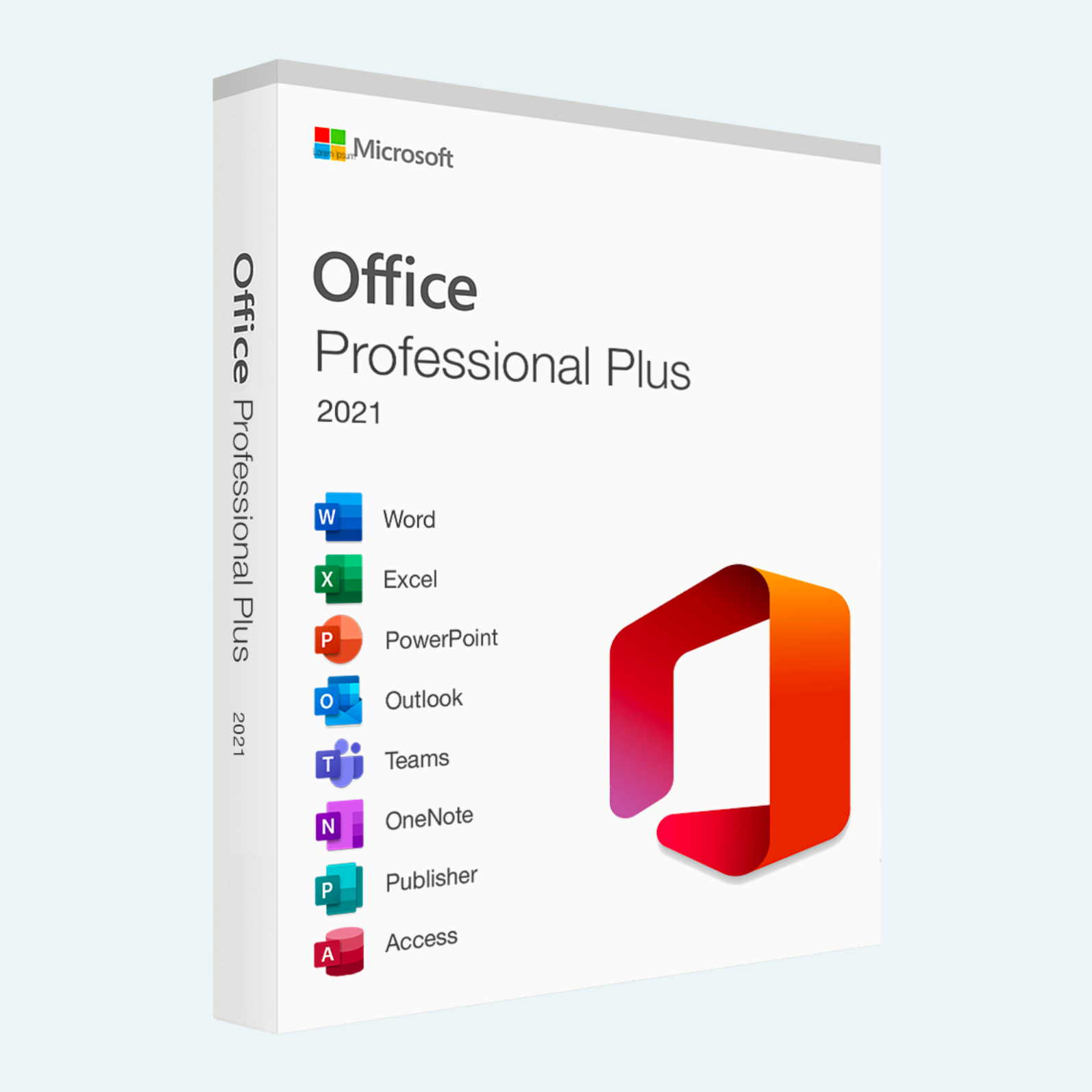
Elevate your productivity with Microsoft Office 2021 Professional Plus, the ultimate one-time purchase suite designed for professionals, businesses, and power users who demand reliable, feature-rich tools without ongoing subscriptions. This comprehensive package delivers the latest enhancements in document creation, data analysis, email management, and collaboration, all optimized for Windows PCs. Whether you’re crafting reports in Word, analyzing complex datasets in Excel, or building dynamic presentations in PowerPoint, Office 2021 Professional Plus provides a seamless, offline-first experience with modern updates that keep you ahead. Install once and use for life on a single PC—perfect for those seeking long-term value and control.
Key Features
- Core Applications Included: Word, Excel, PowerPoint, Outlook, Publisher, Access, and Microsoft Teams for integrated communication and collaboration.
- Modern Visual Refresh: Updated interface with a clean Start experience, refreshed ribbon tabs, monoline icons, neutral color palette, and softer window corners for intuitive navigation and better accessibility.
- Advanced Collaboration Tools: Real-time co-authoring to see who’s editing and where, plus direct integration with Microsoft Teams for chat and video calls without switching apps.
- Excel Innovations: Dynamic arrays, XLOOKUP for smarter lookups, enhanced XMATCH search, and intelligent data analysis tools for deeper insights.
- Word and PowerPoint Enhancements: Improved inking for handwritten input, cloud autosave, modern comments (where supported), and better support for OASIS OpenDocument formats.
- Outlook and Beyond: Enhanced translation and editing tools, mail merge in Word, database management in Access, and full dark mode support across apps.
- Performance and Security: Optimized for speed, with automatic updates and robust security features, including better integration with Windows Search and accessibility options.
Experience the power of these tools to streamline workflows, boost creativity, and achieve more—backed by Microsoft’s commitment to reliability.
Download, Install, and Activation Guide
Getting started with Office 2021 Professional Plus is straightforward. Note: This edition is typically available through volume licensing or authorized resellers; ensure your product key is valid before proceeding. If purchased from a retailer, use the provided download link or Microsoft Volume Licensing Service Center (VLSC) for the installer.
- Download:
- Visit your Microsoft account dashboard at office.com or the VLSC portal if it’s a volume license.

- Sign in with your Microsoft Account (create one if needed).
- Navigate to “Install Office” or enter your product key to access the download. Select the 64-bit version for optimal performance (32-bit if your system requires it).
- Download the Click-to-Run installer (approximately 4 GB). For offline use, opt for the full installer package.
- Visit your Microsoft account dashboard at office.com or the VLSC portal if it’s a volume license.
- Install:
- Run the downloaded setup file as Administrator (right-click > Run as administrator).
- Follow the on-screen prompts: Accept the license terms, choose your language and installation options (e.g., all apps or custom).
- Select “Install Now” and wait for the process to complete (typically 10-30 minutes, depending on your internet and hardware).
- Restart your PC if prompted. Launch any app (e.g., Word) from the Start menu to verify.
- File > Account > Activate Product:
- Open any Office app, such as Word or Excel.
- Click File in the top-left corner.
- Select Account from the sidebar.
- Under “Product Information,” if it shows “Product Activated” or your edition, you’re set. If not, click Activate Product or Change Product Key.
- Enter your 25-character product key when prompted.
- Sign in with your Microsoft Account to link the license (this enables updates and cloud features).
- Click Next and follow any verification steps. Activation is instant if online; offline methods use a phone system if needed.
If activation fails, ensure you’re connected to the internet and check for error codes via Microsoft’s support site. Uninstall any prior Office versions first to avoid conflicts.
System Requirements
To ensure smooth performance, your Windows PC should meet these minimum specs:
| Category | Requirements |
| Operating System | Windows 11, Windows 10 (version 1809 or later), Windows 10 LTSC 2021, Windows 10 LTSC 2019, Windows Server 2022, or Windows Server 2019. |
| Processor | 1.6 GHz, 2-core processor (recommend 2 GHz or faster for multi-core). |
| RAM | 4 GB (recommend 8 GB for 64-bit; 2 GB minimum for 32-bit). |
| Disk Space | 4 GB available (recommend SSD for faster load times). |
| Display | 1280 x 768 screen resolution. |
| Graphics | DirectX 9 or later with WDDM 2.0 or higher (WDDM 1.3 or higher for Windows 10 Fall Creators Update). |
| Browser | Current version of Microsoft Edge, Google Chrome, or Mozilla Firefox (for online features). |
Additional Notes: A touch-enabled device is ideal for inking features. For the best experience, use a 64-bit OS and processor. Product functionality may vary on older hardware. Support ends October 13, 2026—plan for upgrades accordingly.
Unlock your professional potential today with Microsoft Office 2021 Professional Plus. Order now and transform how you work!
Be the first to review “Microsoft Office 2021 Professional Plus for Windows PC”
Related products
Microsoft Office
Microsoft Office
Microsoft Office
Microsoft Office
Microsoft Office For MAC
Microsoft Office 2021 Home & Business for Mac – Genuine License Key
Microsoft Office
Microsoft Office
Microsoft Office
Reviews
There are no reviews yet.